EasyManua.ls Logo

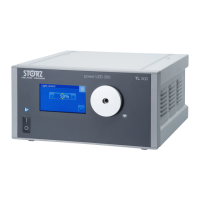
Storz TL400 User Manual

Storz TL400
44 pages
To Next Page IconTo Next Page
Page #1 background imageLoading...
Page #1 background image
Instructions for use
Power LED Rubina
en

Table of Contents

Questions and Answers:

Storz TL400 Specifications

General IconGeneral
BrandStorz
ModelTL400
CategoryLighting Equipment
LanguageEnglish

Summary

General Information and Warnings

Read Instructions for Use

Guidance on safely operating the product and potential risks.

Instructions for Compatible Products

Instructions for using compatible products and potential risks.

Scope of Manual

Defines the product the manual applies to.

General Signs and Symbols

Explains common symbols used for practical tips and actions.

Description of Warning Messages

Explains the different levels of danger and their meanings.

Normal Use Guidelines

Indications for Use

Details the intended uses and applications of the Power LED Rubina.

Contraindications

Lists situations where the product should not be used.

Target User Populations

Identifies the intended users for the product's application.

Patient Population

Specifies any restrictions on patient groups for product use.

Safety and Warning Information

Serious Incidents

Defines what constitutes a serious incident and reporting requirements.

Correct Handling and Product Testing

Guidelines for safe operation, testing, and maintenance of the product.

Combination with Other Components

Ensures safe use with other medical devices and components.

Product Not Clean

Highlights risks associated with using an uncleaned product.

Dangers from Electrical Current

Details hazards related to power supply, live parts, and leakage currents.

Damage Due to Liquid Ingress

Warns about risks from liquid entering electrical parts.

Risk of Explosion and Fire

Addresses potential ignition of flammable gases by product sparks.

Electromagnetic Interference

Discusses EMC precautions and potential interference from other devices.

Hot Components

Warns about potential burns from hot parts of the light source.

High Light Intensity

Alerts to risks of eye damage and tissue heating from intense light.

Touch Screen Functionality

Covers potential issues and safe usage of the touch screen.

Using with Argon Device

Precautions when operating the product with an argon device.

Product Failure

Advises on preparing for potential product failure during use.

Observing Ambient Conditions

Emphasizes the importance of correct storage and operating environments.

Product Description and Specifications

Product Overview

Visual and textual identification of the product's front and rear components.

Possible Combinations

Lists compatible accessories and components for the product.

Technical Data

Provides detailed specifications like power, dimensions, and light output.

Symbols on Packaging

Explains the meaning of various symbols found on the product packaging.

Symbols on Product

Details the meaning of symbols displayed directly on the product.

Symbols on Type Plate

Explains symbols found on the product's type plate.

Symbols on User Interface

Defines icons and symbols used within the product's user interface.

Ambient Conditions

Specifies temperature, humidity, and air pressure requirements for operation and storage.

Preparation and Setup

Unpacking the Product

Instructions for carefully removing and checking the product and accessories.

Reprocessing the Product

Guidance on reprocessing the product before use.

Setting Up the Product

Steps for placing and ensuring proper ventilation for the product.

Connecting the Product

Step-by-step guide to connecting the potential equalization cable, power cord, and KS HIVE cable.

Connecting the Light Cable

Instructions for attaching the light cable to the product.

Connecting the Footswitch

Procedure for connecting the footswitch to the product.

Putting the Product into Operation

Steps for powering on, self-testing, and initial settings.

Product Application and Settings

Switching Light On and Off

How to control the light output via the touchscreen interface.

Manual Light Adjustment

Procedure for manually adjusting the light intensity using the product's controls.

Automatic Light Control

Explanation of automatic light adjustment when connected to IMAGE1 S.

Changing Light Mode

Methods for switching between white light and NIR modes.

Settings Menu

Options to access various product settings and configurations.

Event Protocol

How to access saved alarms and information reports.

Product Information

Where to find details like serial number, software version, and operating hours.

Audio Settings

Options to enable or disable acoustic signals from the product.

Switching Off the Product

How to properly shut down the device.

Information Signals

Describes how the product communicates operational status and errors.

Visual Information Signal

Explains how visual alerts are displayed on the screen.

Acoustic Information Signal

Details the nature and timing of audible alerts.

Availability Signal

Describes the signals indicating product availability status.

Maintenance, Servicing, Repairs, and Disposal

Maintaining the Product

General guidelines for product maintenance by authorized personnel.

Maintenance Intervals

Recommended maintenance intervals and activities.

Changing a Fuse

Step-by-step instructions for safely replacing a fuse.

Safety Inspection (IEC 62353)

Procedures for ensuring product safety and integrity through inspections.

Visual Inspection

Checks for mechanical damage and label readability.

Electric Measurements

Requirements for electrical safety measurements.

Functional Test

Steps for performing and documenting functional tests.

Repairing the Product

Guidelines for product repair by authorized service personnel.

Disposing of the Product

Information on the proper disposal of the product according to WEEE directive.

Accessories and Spare Parts

Available Accessories

List of available accessories with their order numbers.

Available Spare Parts

List of available spare parts with their order numbers.

Electromagnetic Compatibility (EMC)

Operating Environment Notes

Guidance on using the product in different electromagnetic environments.

Accessories and Cables for EMC

Details on accessories and cables for EMC compliance.

Table 1: Immunity Test Compliance

Specifies compliance levels for various immunity tests according to IEC 60601-1-2.

Table 2: HF Wireless Near Field Test Levels

Provides test levels for immunity to near fields from wireless communication devices.

Table 3: Radiated and Conducted Immunity Tests

Outlines test levels for immunity to radiated and conducted disturbances.

Table 4: Emission Class and Group

Defines emission classes and groups for the product.

Table 5: Recommended Separation Distances

Provides recommended distances to maintain between the product and HF devices.

Troubleshooting Errors and Messages

Troubleshooting Guide

Lists common faults, their possible causes, and recommended actions.

Overview of Mitigating Warnings

KARL STORZ Subsidiaries

Related product manuals