41
Once set, the automatic mode, auto cooking symbol
and the time of day is displayed.
To see the remaining cooking time, press the function
button twice.
When the set time has completed, an alarm is heard.
Press any button to stop the alarm. The time of day is
then displayed.
To modify or cancel the cooking time
To modify, press the function button until ‘dur’
appears on the display then press either the minus
or plus button to set the time. To cancel, press the
function button until ‘dur’ appears on the display then
press the plus button until 0.00
SETTING THE END OF COOKING
TIME (FULLY AUTOMATIC)
Enter cooking duration as described in ‘Setting the
cooking time’ section.
A
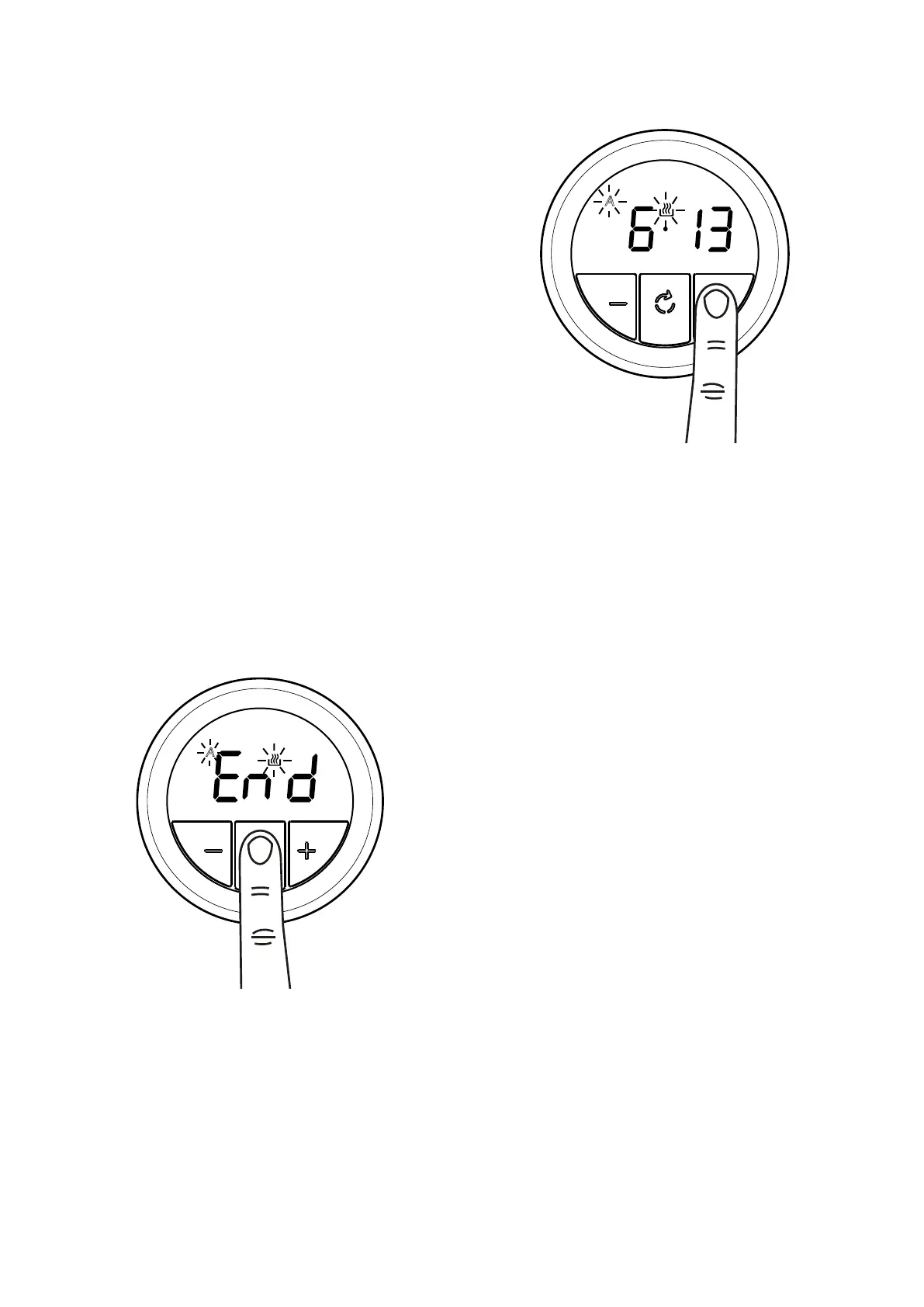
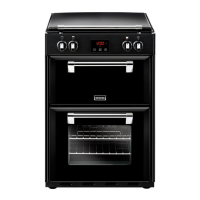
1. Press the function button until 'end' appears on
the display
A
2. Press the minus or plus buttons to set a time
To modify or cancel the end cooking time
To modify, press the function button until ‘end’
appears on the display then press either the minus
or plus button to set the time. To cancel, press the
function button until ‘end’ appears on the display,
then press the minus button until the set time of day
appears.



 To Next Page