3
Prepare Graphics Card for Installation
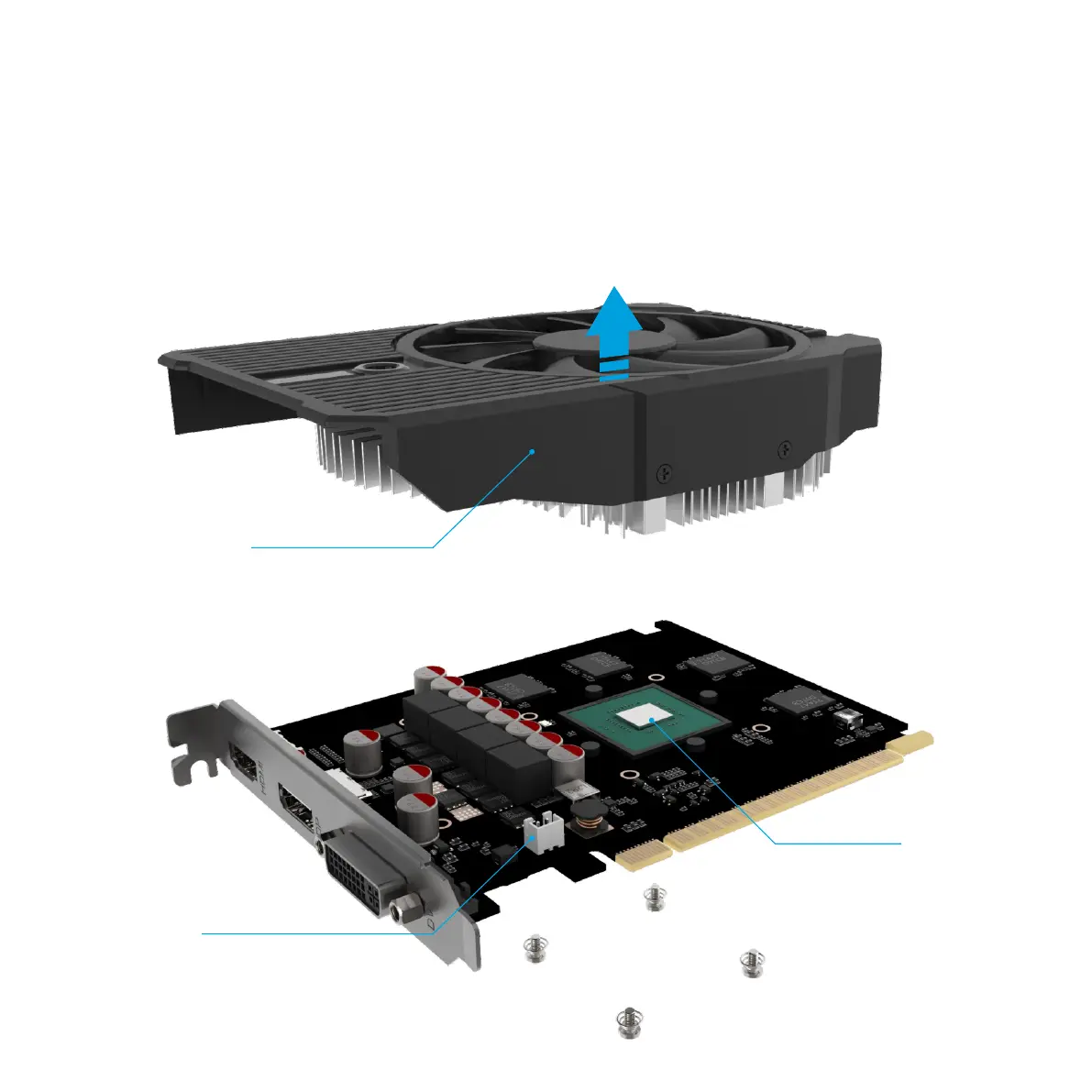
Before you can attach the DB4 GPU cooler to the graphics card, you will need to remove the existing cooler. The exact mounting mechanism is going to vary from
card to card, but in general the stock cooler will be attached to the card with 4 screws that are accessed from the back of the card and screw directly to the cooler.
Note that removing the stock cooler might invalidate any warranty, so please consider this before proceeding. Remove all 4 screws in order to release the cooler
then carefully pry it away from the card. The fan connector should also be disconnected in order to fully remove the stock cooler assembly.
With the stock cooler removed, you can now clean any residual thermal paste from the GPU in preparation for mounting the DB4 GPU cooler.
Fan Connector
Stock Cooler Assembly
GPU Die



 To Next Page