7
Install the Graphics Card
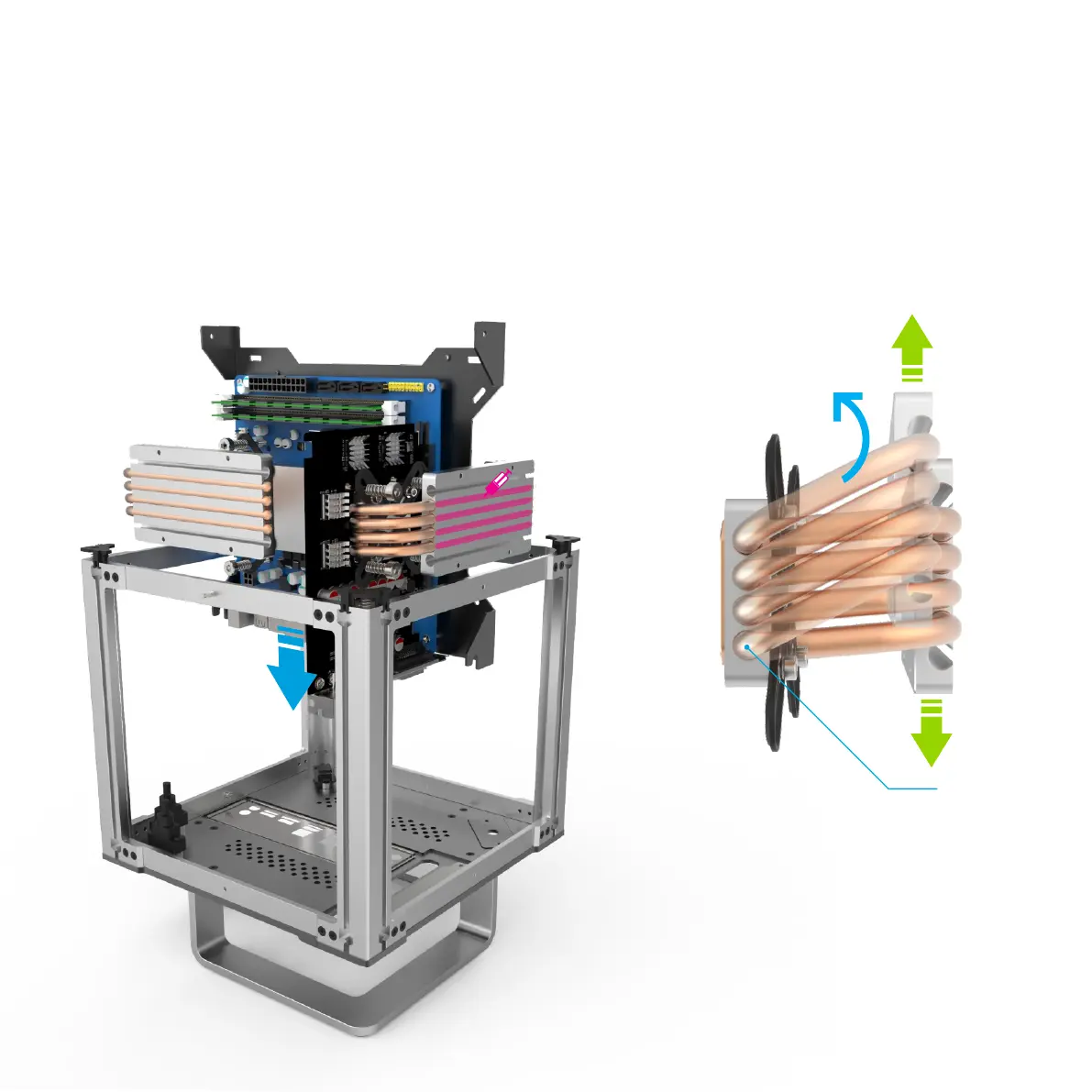
For both a new build or to add a graphics card to an existing build, it is recommended to first install the graphics card onto the motherboard then lower the entire
assembly into the DB4. The procedure of removing/installing the motherboard tray assembly is covered in the DB4 user guide and should be referred to if you are
unsure about any of the steps.
Note that the heat pipes and heat sink mount can pivot/move parallel to the graphics card. This is important when fitting the tray back into the case in order to clear
the internal frame and for the final adjustments to ensure there is good contact between the heat sink mount and side panel.
With the graphics card installed on the motherboard, lower the assembly into the DB4 being careful not to damage any of the heat pipes. Lock the motherboard
tray in place with the thumbscrews and secure the graphics card bracket to the PCI mount on the bottom of the DB4. Thermal paste can now be applied to the
heat sink mount along the exposed area of the heat pipes in preparation for replacing the side panels.
Pivot Point



 To Next Page