INSTALLING THE MOTHERBOARD - P5
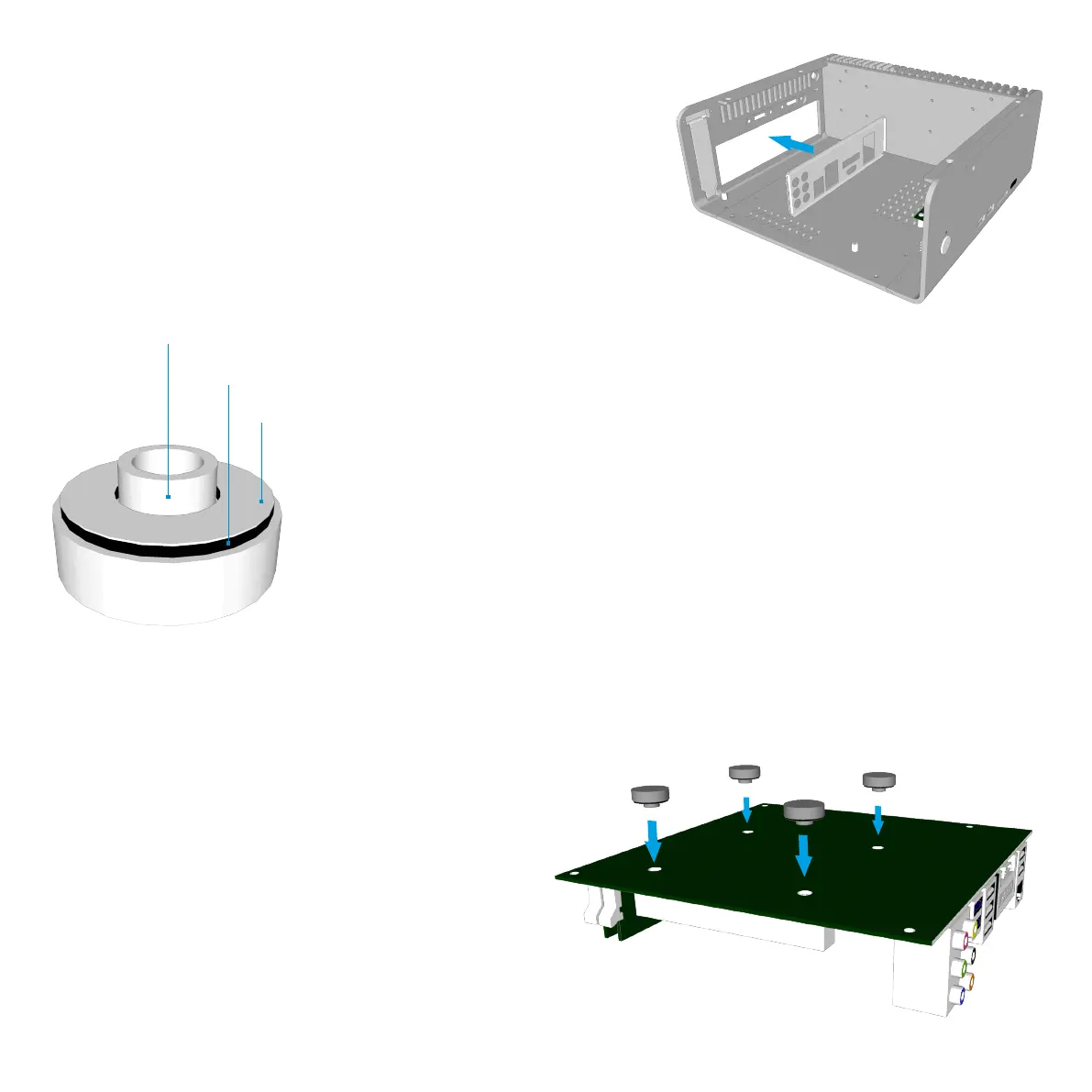
Installing the I/O Shield
Locate the I/O shield that is supplied with your
motherboard and firmly push it in place. Ensure that it
clicks in place fully otherwise the motherboard will be
difficult to fit.
Fit the CPU Cooler Mounting Nuts
The chassis is supplied with 4 mounting nuts
which should be fixed to the motherboard prior to
fitting it. The nuts should be fixed to the underside
of the motherboard and are held in place by
adhesive pads.
With the motherboard upside down, located the 4
CPU cooler mounting holes. Peel the protective
label off the mounting nuts and stick them to the
underside of the motherboard ensuring they
correctly align with the holes.
CPU Cooler Mounting Nut
Adhesive Pad
Protective Label



 To Next Page