10
Note:
If the Keystone correction fail to resolve image shape, please reduce the vertical height of
the projector in relation to the center of the screen.
Note:
It is normal when sharpness in the central, blur in the edge.
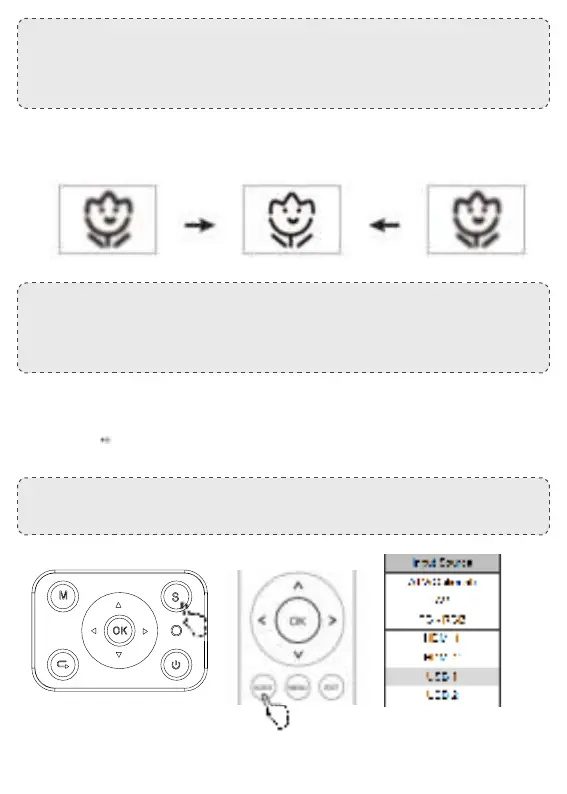
( Press “ Source” on the remote control or “ S” on the control panel, then there is “ Input
Source” on the screen, choose “ USB “
B. the projected image may be blurry or dicult to see, this is due to lack of Focus adjustment with
the lens, please follow the processes below to adjust the Focus. ( Do Manual Focus, nd the most
sharpness picture on the screen
A. Insert the USB ash driver into the USB port and choose the right signal source, then press Play /
Pause button ( ) to display or stop.
⑤ Multimedia-aansluiting


 To Next Page