8
The image size depends on the distance between projector and screen, there may be 3% deviation
among above listed data. Dierent settings cause various distances.
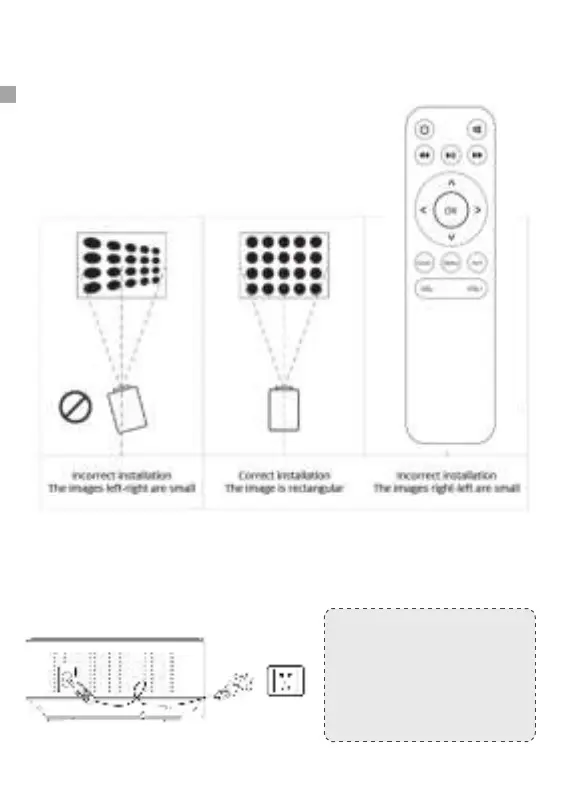
① Before starting up the projector. Follow gure below to adjust trapezoid correction.
Keep the projector vertical with projecto,r screen and keep it on the same level.
② Connect the power plug as following picture, connect with the electricity, The
indicator light will turn to red.
HOW TO USE
Note:
Pictures are only for your
reference, dierent countries
got dierent power plug, please
contact your supplier for more
details, better connect the
projector rst.


 To Next Page