27 MA_560_A4_180619_en
3.6.4
Class 560-11 only
Setting the digital stitch depth display (Fig. 14 and Fig. 19)
ATTENTION!
Switch off machine electrically!
The digital stitch depth display is available as optional extra and can also be
mounted to machines already in use.
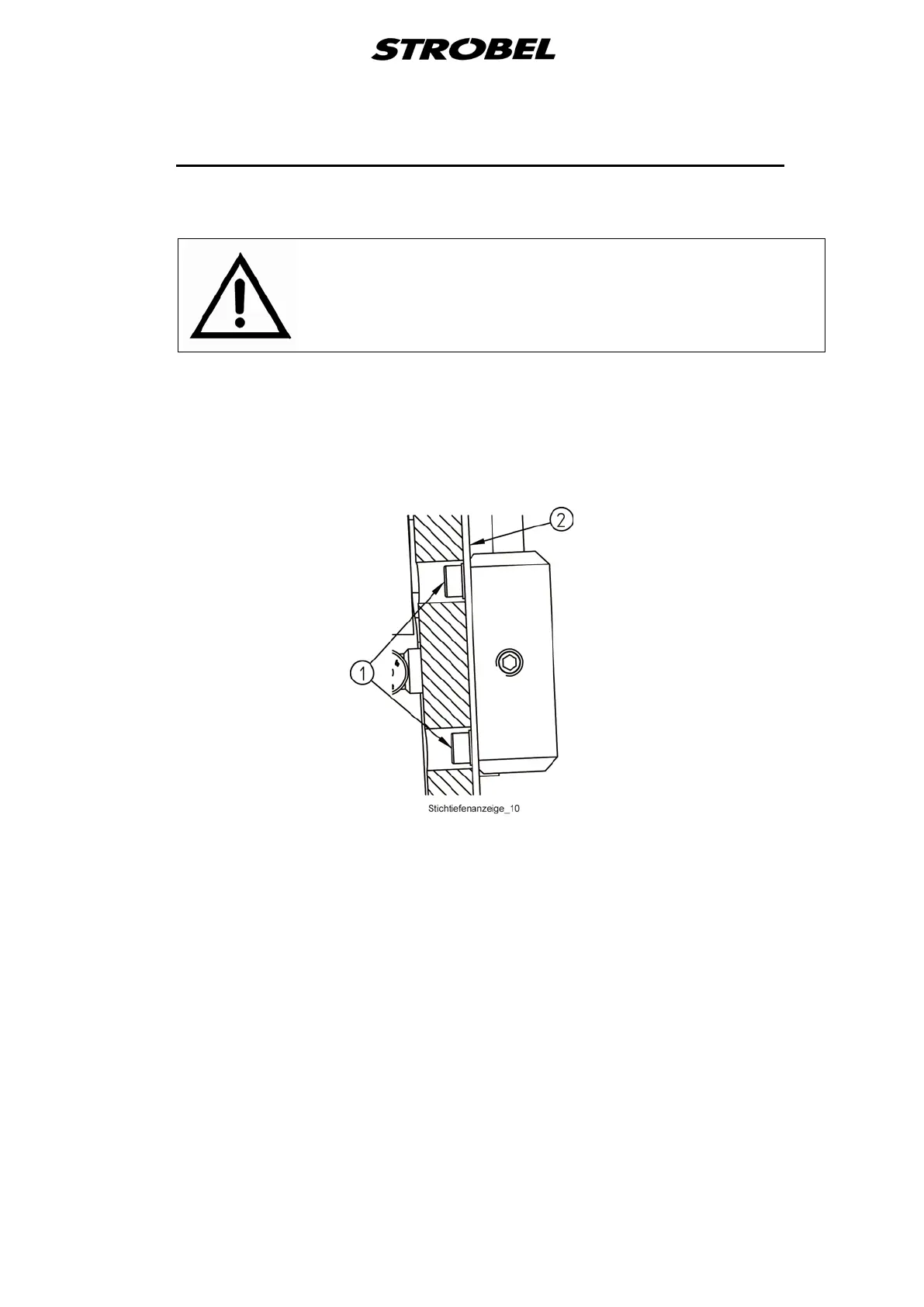
The LCD display is attached to the cover (2) with the mounting parts (2).
(Fig. 19)
Fig. 19
Mount the additional parts at the stitch depth knob as shown in Fig. 14 and set
as follows:
Turn the regulating knob (3) backwards until gear (2) touches the boss of the
lower arm. Then screw the second gear (6) to the shaft of the potentiometer
that the digital display shows a value between 003 and 006 and the distance of
the two gears is approx. 1.35 ±0.2 mm.
Electrical connections please see the connecting diagram.


 To Next Page