EN
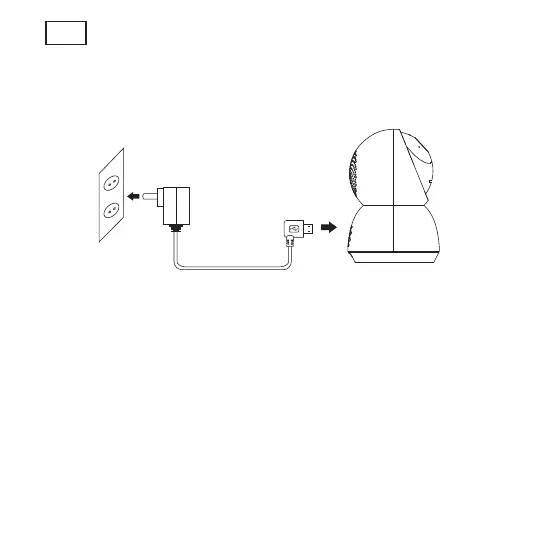
4. Connect the power to the camera
Connect the power to the camera by Micro USB Power Adapter.
(DC 5 V / 1.5 A)
5. Set up your camera
• Press the Reset button for above 5 seconds, then release the
button to reset the camera, then the LED light will blink quickly.
• Click “Add Device” or “+” on the right corner to add device; Then
click “ Security&Sensor” to select” Smart Camera” ;
• Follow the App’s instructions and input the right wifi password;
Point the QR code to the camera lens for 15-20 cm ; Click”HEARD
THE BEEP” when you heard “dingding”. After processing, it paired
successfully.
• The blue light is on, camera is ready for viewing.



 To Next Page