Congratulations! You have successfully located Extender 1600 Units.
14a
OPTIONAL
You can change network name (SSID) and
password of your network. Open the web
browser and type http://extender1600.local
to the address bar.
13
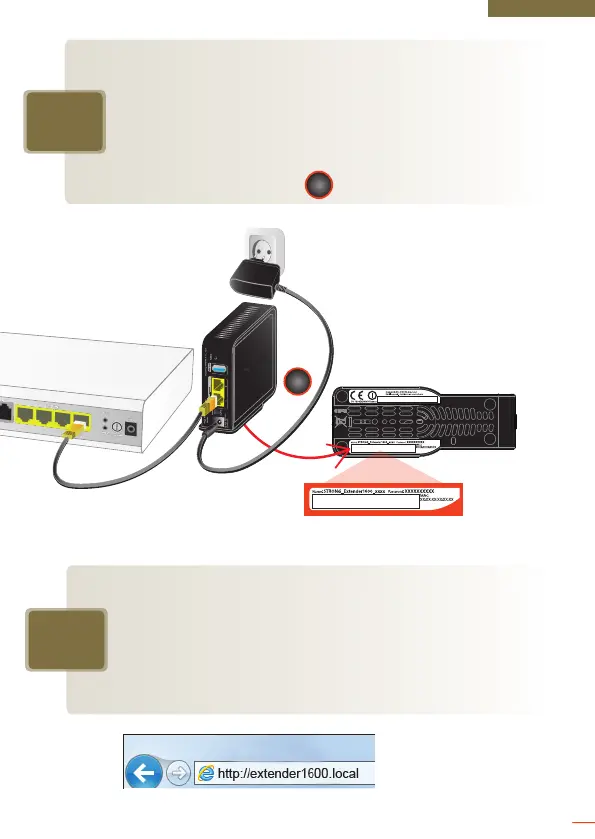
You can now connect all your wireless devices
such as laptops, smart phones or tablets to your
new ultra fast Wi-Fi network. For this, use the
factory default name and password written on
the label located on the bottom of the first
Extender 1600 Unit connected to your router.
1
1
8


 To Next Page