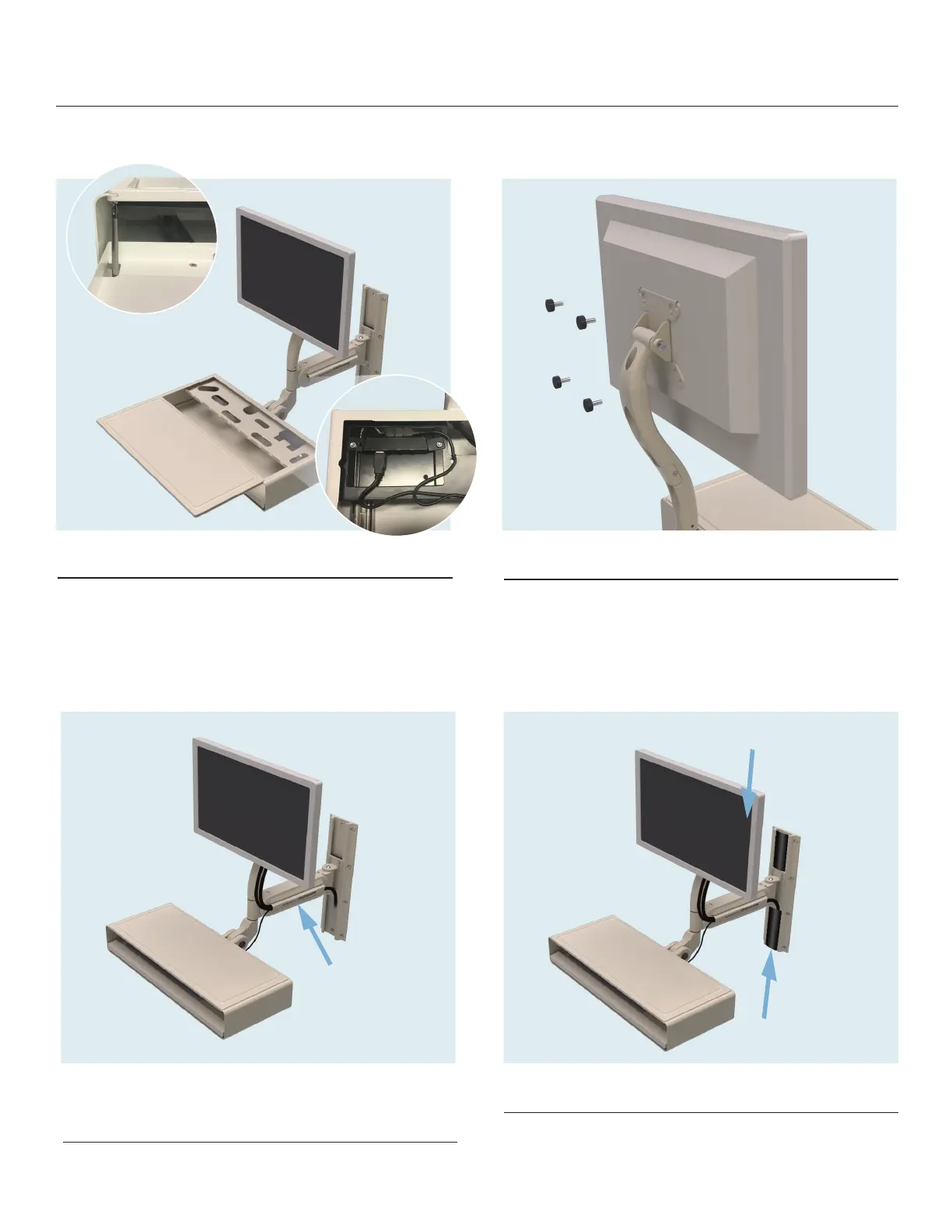
4. USB Hub Access
1) Pull out keyboard tray and remove #1 Phillips
head screw from top writing surface, accessed
through key holes in tray
2) Slide top writing surface toward you
5. Install Display
Using (4) M4 x 8 Display Thumb Screws, attach
display to MightyMount. (NOTE: If the M4 x 8 Display
Thumb Screws can’t be threaded suciently to provide a secure
attachment, use the M4 x 12 Display Thumb Screws instead.)
6. Run Cables and Install
Cable Guard
Display cables can be secured to the neck with a
tie wrap fed through the provided holes
7. Install Track Cable Cover
Cut supplied track cover to desired length(s) and
slide into track channels as shown
1
2
MightyMount
Quick Start Installation Guide
STRONGARMhealthcare


 To Next Page