EasyManua.ls Logo

Strongway 53072 - User Manual

Strongway 53072
16 pages
Print Icon
To Next Page IconTo Next Page
Loading...
READ & SAVE THESE INSTRUCTIONS
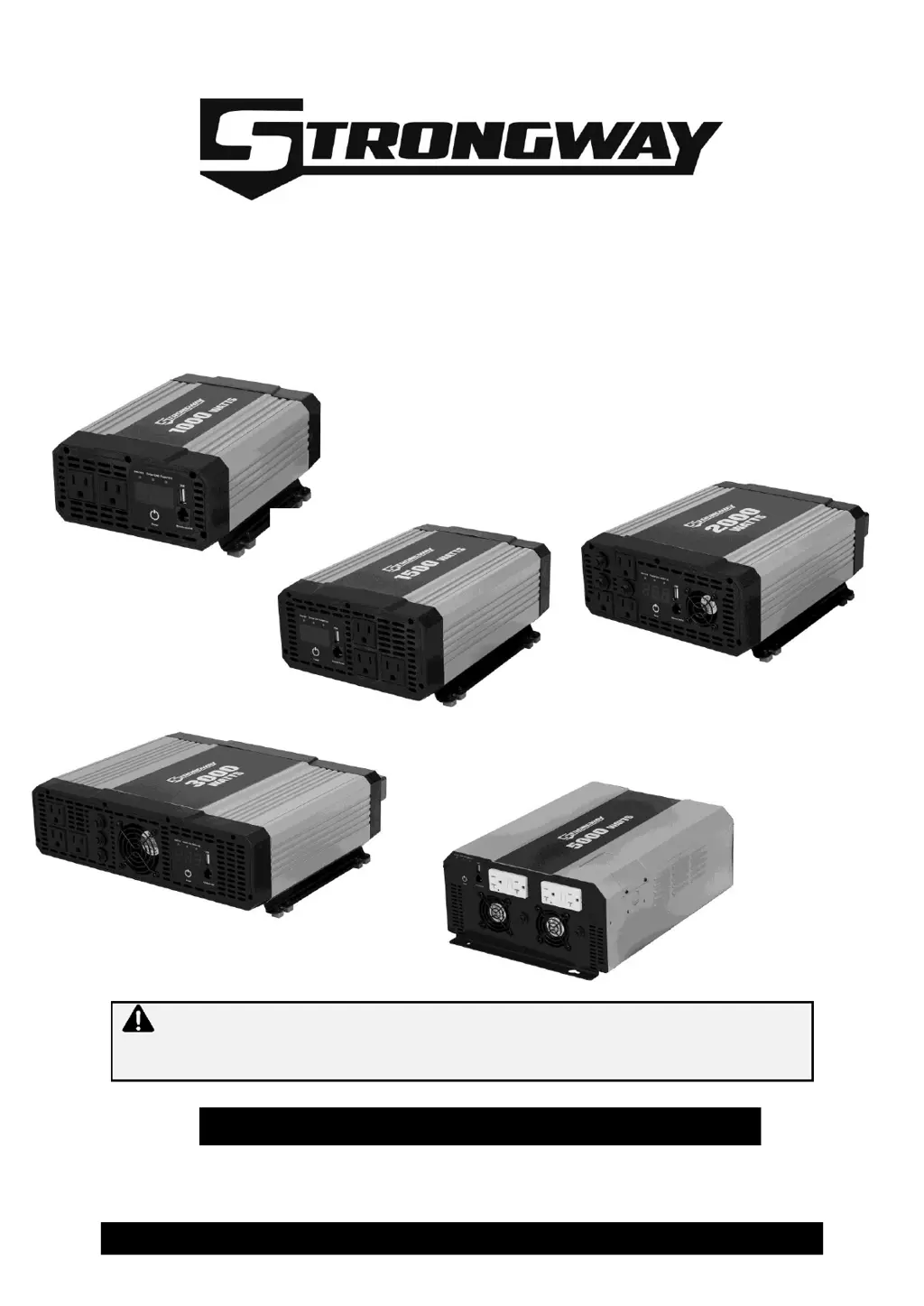
Digital Power Inverter
Owner’s Manual
WARNING: Read carefully and understand all ASSEMBLY AND OPERATION
INSTRUCTIONS before operating. Failure to follow the safety rules and other basic safety
precautions may result in serious personal injury.
Items #53072, #53073, #53071, #53074, #53067

Questions and Answers

  • D
    Dylan BaileyAug 5, 2025
    What to do if my Strongway Power inverter has no output voltage?
    • H
      Haley KnappAug 5, 2025
      If your Strongway Power inverter shows no output voltage, first ensure the inverter is turned ON. Next, check the wiring to confirm the inverter is receiving power. Note that reversed DC polarity can damage the inverter.
  • R
    Robert JonesAug 11, 2025
    Why does my Strongway Power inverter display “LUP”?
    • L
      Lisa MercerAug 11, 2025
      The “LUP” display on your Strongway Power inverter indicates that the low battery voltage shut-down feature has turned the inverter OFF. This could be due to several reasons: * The battery voltage is low: Recharge the battery. * Incorrect DC wiring: Use the correct cable length and gauge, and ensure secure cable connections. * Poor battery condition: Charge or replace the battery if necessary.
  • L
    Larry BaileyAug 17, 2025
    What to do if Strongway Power inverters display shows “OLP”?
    • M
      Margaret PetersAug 17, 2025
      If the digital display of your Strongway Power inverter shows “OLP”, it means the AC output overload shutdown feature has turned off the inverter. To resolve this, ensure that the load attached to the inverter is within the specified operating limit.
  • M
    Melanie CookAug 23, 2025
    How to fix “OPP” on a Strongway 53072 display?
    • J
      jburnettAug 23, 2025
      If your Strongway Power inverter displays “OPP”, it indicates a short circuit. Check the AC wiring to resolve this issue.
  • C
    Cassie ScottAug 29, 2025
    Why does my Strongway Power inverter show “OUP”?
    • J
      Jennifer Mitchell MDAug 29, 2025
      The “OUP” display on your Strongway Power inverter indicates that the high battery voltage shutdown feature has turned the inverter OFF. To fix this, make sure the inverter is connected to a 12V battery.

Summary

Intended Use

Technical Specifications

#53072 Specifications

AC/DC power output, specifications, and physical characteristics for the #53072 model.

#53073 Specifications

AC/DC power output, specifications, and physical characteristics for the #53073 model.

#53071 Specifications

#53074 Specifications

#53067 Specifications

Important Safety Information

General Safety Warnings

General safety guidelines including understanding instructions, using common sense, and avoiding product modification.

Chemical Hazard Warning

Warning regarding chemicals known to cause cancer, birth defects, or reproductive harm in California.

Work Area Safety Precautions

Ensures a safe work environment by maintaining cleanliness, avoiding hazards, and keeping bystanders clear.

Personal Safety Precautions

Inverter Use and Care

Specific Operation Warnings

Shock Hazard Precautions

Fire Hazard Precautions

Equipment Damage Prevention

Battery Explosion and Fire Hazard

Battery Chemical Hazard

Main Parts

Assembly Instructions

Before Each Use

Operating Instructions

After Each Use

Maintenance

Troubleshooting

Parts List

Replacement Parts

Limited Warranty

Warranty Limitations

Specifies what is not covered by the limited warranty, such as wear and tear or misuse.

Purchaser Obligations

Outlines the buyer's responsibilities, including retaining receipts and contacting customer service for claims.

Remedy Limits

Defines the exclusive remedies available to the buyer, such as replacement or refund, and liability exclusions.

Assumption of Risk

States that using the product for purposes other than specified is at the user's own risk.

Governing Law

Specifies the legal jurisdiction and rights related to the limited warranty, varying by state.

Strongway 53072 Specifications

General IconGeneral
Input Voltage12V DC
Frequency60 Hz
Efficiency90%
USB Ports2
CoolingFan
Protection FeaturesOverload, Low Voltage, High Voltage, Short Circuit