Mobius - User Manual
®
pg 31
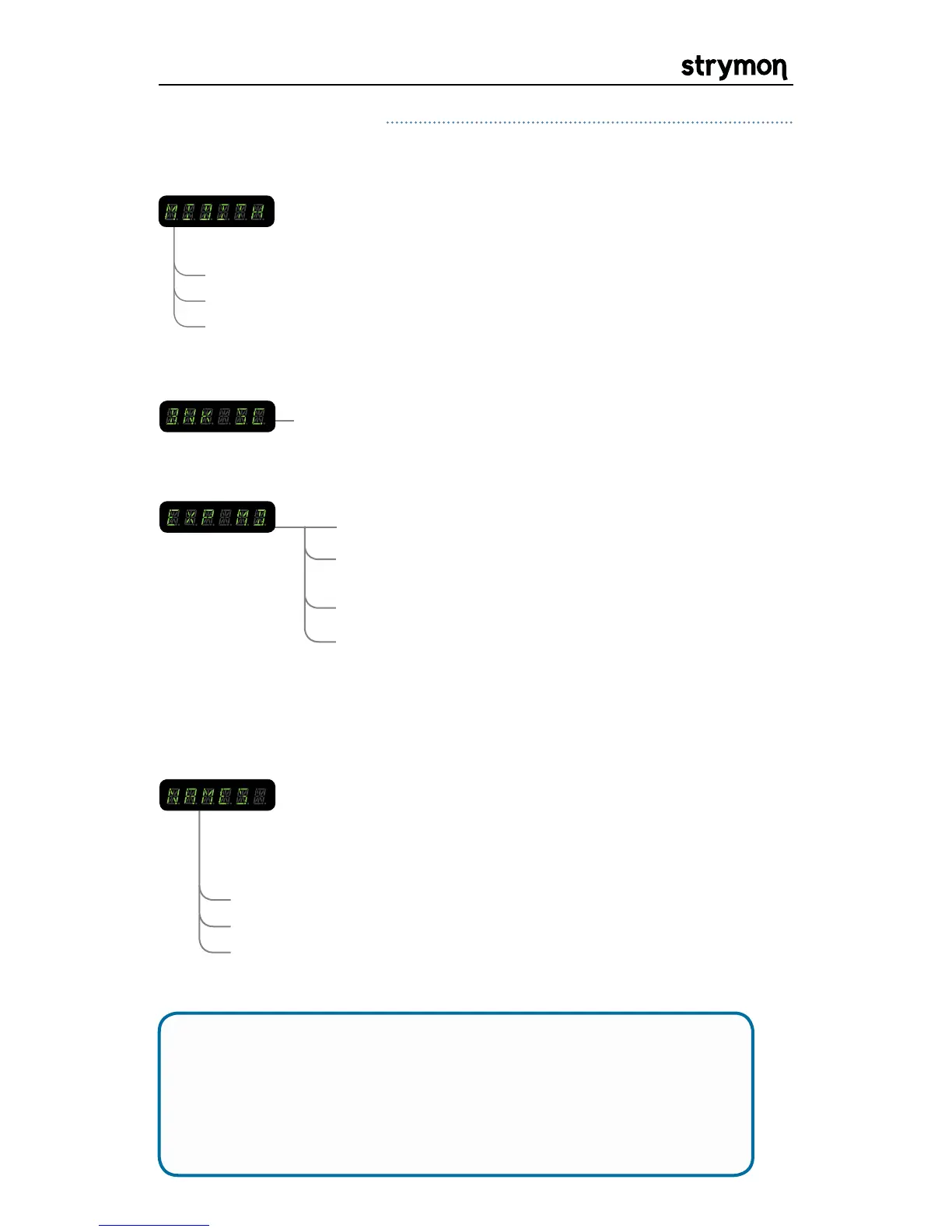
MIDI THROUGH: When set to THRU, MIDI messages that arrive at the
MIDI input are sent to the MIDI output without ANY
additional MIDI messages generated by Mobius. When
set to MERGE, MIDI messages that arrive at the input
and those that are generated by Mobius are merged
together to be sent to the MIDI output. When set to
OFF, only MIDI messages generated by the controls on
Mobius are sent to the MIDI output.
Globals Menu Continued
THRU
OFF
MERGE
BNK 1-99
BANK SCROLL: Sets the maximum bank number to scroll to.
PEDAL
EXP INPUT MODE: Configures the EXP input to use an Expression
Pedal or an external TAP footswitch.
TAP
BANK
PRESET
- for use with Expression Pedal
- for use with external TAP footswitch or
MultiSwitch for tap and preset select
- for use with MultiSwitch to select banks
- for use with MultiSwitch to select presets
Please refer to the MultiSwitch user manual for detailed MultiSwitch
setup information: www.strymon.net/support/multiswitch
OFF
PATCH NAMES: Enables or disables the display of patch names when
displaying the current bank. If set to ON or SCROLL,
when incrementing through banks with the VALUE
ENCODER, the bank number will be displayed with 2
digits followed by the first 3 characters of the patch
name.
ON
SCROLL
- bank numbers are displayed instead of patch names
- the first 6 characters of the patch name are displayed
- the patch name will scroll once completely through
its 16 characters then settle on the first 6 characters
NOTE: If any of the above options do not appear in the GLOBLS
menu, you may need to update the firmware to the latest
version. Visit the link below for instructions:
www.strymon.net/update


 To Next Page
 Loading...