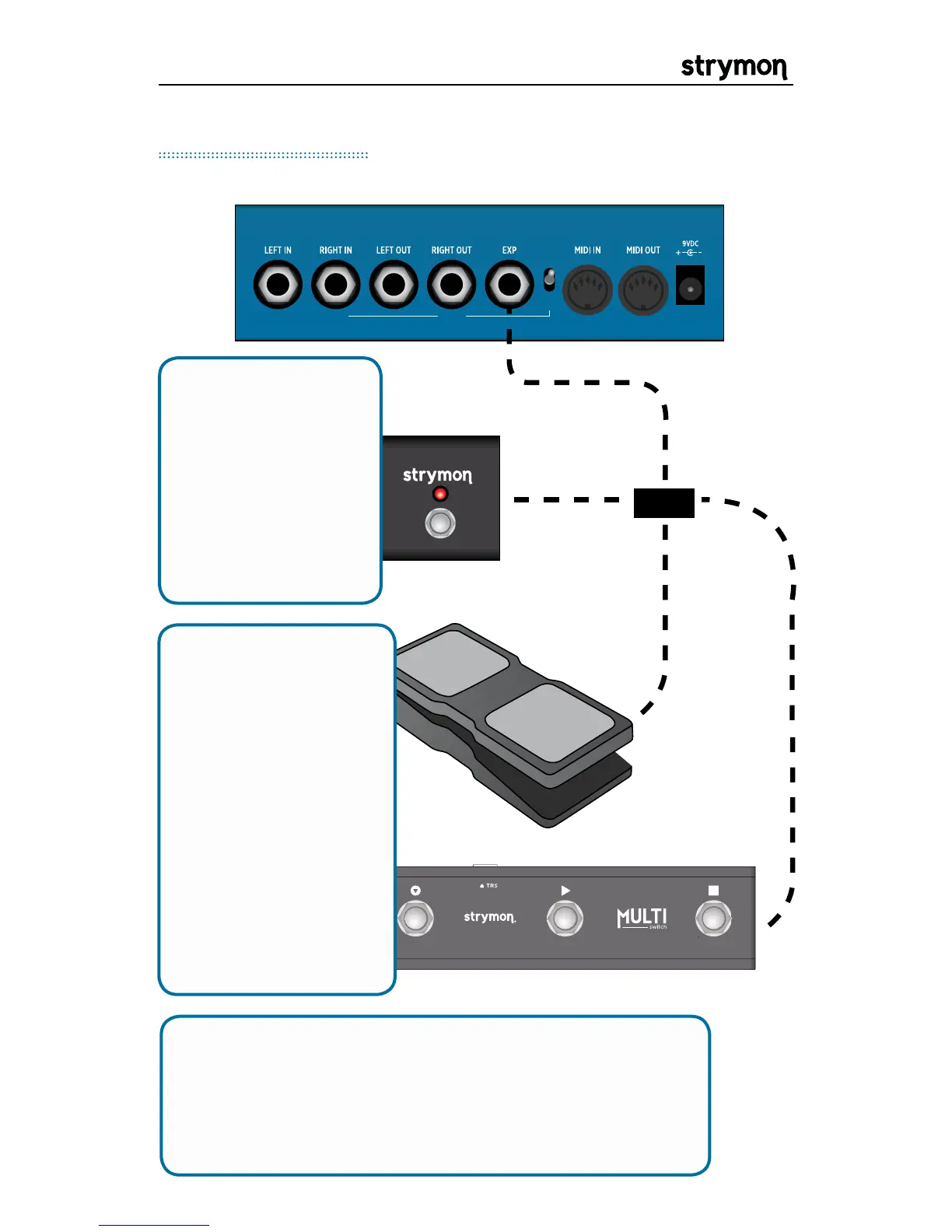
Connect a standard
TRS expression
pedal for continuous
control over any
knob. To select the
knob(s) controlled
by the expression
pedal, use the EP SET
parameter in each
preset. All knobs
can be controlled
simultaneously. See
Common Parameters
for set up instructions.
Connect a Strymon
MiniSwitch to tap
tempo remotely.
Use a standard TRS
cable to connect the
external switch. Set
the EXP MD global
setting to TAP to use
external tap.
EXP Connections
Connect a Strymon MultiSwitch for external tap tempo,
bank selection, or preset selection. Set the EXP MD
global setting to either TAP, BANK, or PRESET. Please
refer to the MultiSwitch user manual for detailed setup
information: www.strymon.net/support/multiswitch


 To Next Page