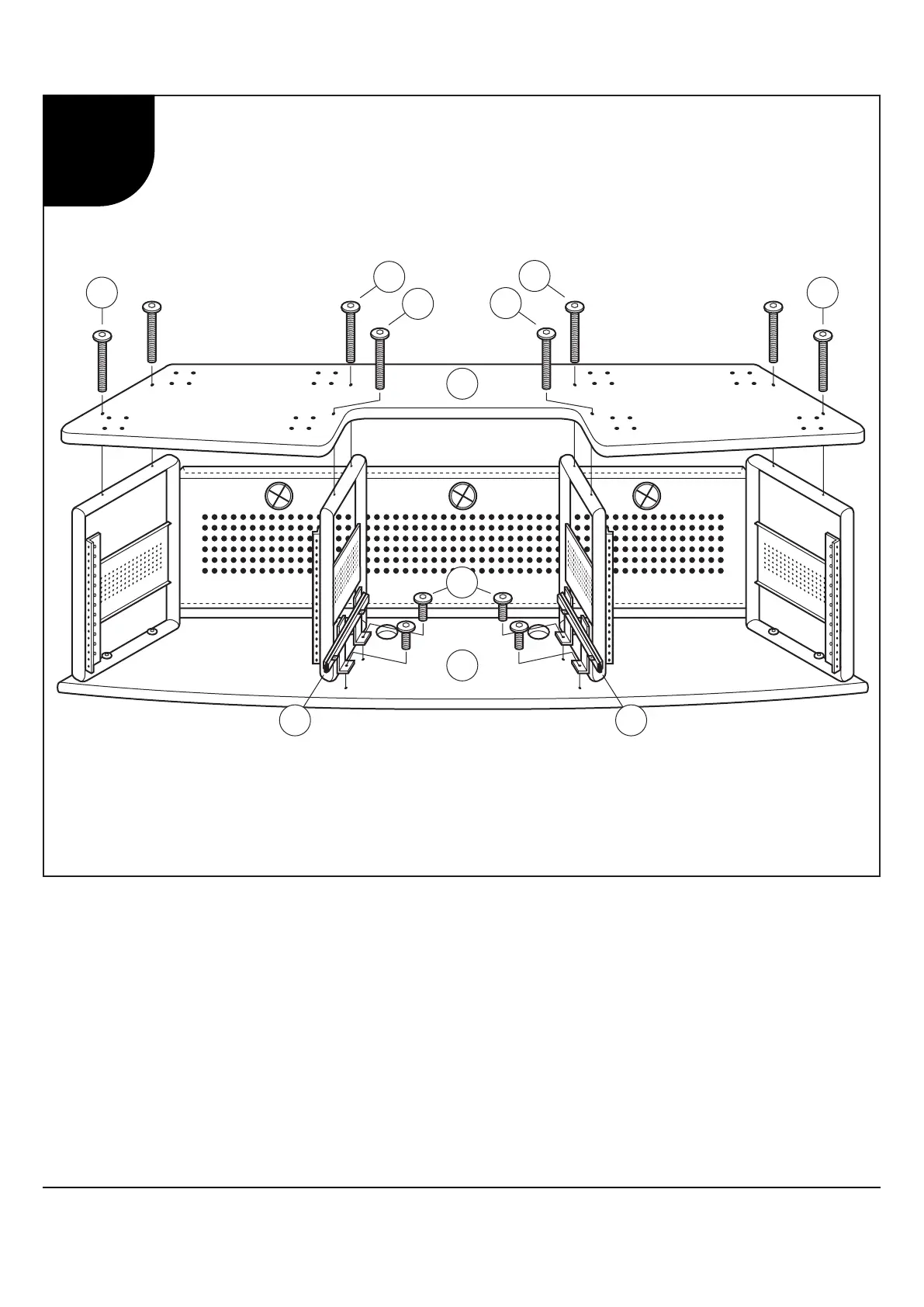
1. Lay Bottom Shelf (2) onto Frames, making sure holes align.
2. Attach using Allen Bolts (24).
3. Attach Keyboard Sliders (16) to Desktop (1) using Allen Bolts (25).
1. Placez L'étagère Inférieure (2) sur des Cadres et assurez que les trous alignent.
2. Attachez à l’aide des Boulons Allen (24).
3. Attachez les Glisseurs de Clavier (16) au Table (1) à l’aide des Boulons Allen (25).
1. Coloque el Estante Inferior (2) sobre los Marcos, asegurándose que los agujeros alinean.
2. Fije usando los Pernos Allen (24).
3. Fije los Deslizadores de Teclado (16) a la Mesa (1) usando los Pernos Allen (25).
Producer Station 50041 50043
2


 To Next Page