Issue 1, October 1997 Model 770 User Guide
Page 26 Studio Technologies, Inc.
Model 770
connector is used to select this mode.
When the switch is in the off position
program audio is fully muted. In the on
position program audio dims by 10dB.
Note that any function that uses the IFB
program only signal, such as the talent
amplifier output, are not affected by either
the mute or dim action; interrupt activity
does not impact the level of the IFB pro-
gram only signal.
IFB Talent Amplifier Output
Configuration
The talent amplifier output associated with
the IFB section supports two discrete
audio output channels. Channel 1 audio,
along with DC power, is carried on pin 2
of the output XLR connector; channel 2
audio is carried on pin 3. The source of
channel 1 audio is internally configured to
be IFB audio and cannot be changed. The
source of channel 2 audio is selectable,
with the choices being main output, AUX
output, and IFB program only; of course
selecting no audio source is valid also:
Main output is the same signal that
connects to the output circuitry associ-
ated with the mixer sections main
outputs.
AUX output is the same signal that
connects to the output circuitry associ-
ated with the mixer sections AUX
outputs.
IFB program only is provided by the
IFB section, and consists of the pro-
gram audio signal only; no interrupt
audio signals are present. No muting
or dimming of the program audio
signal takes place, even when interrupt
is active.
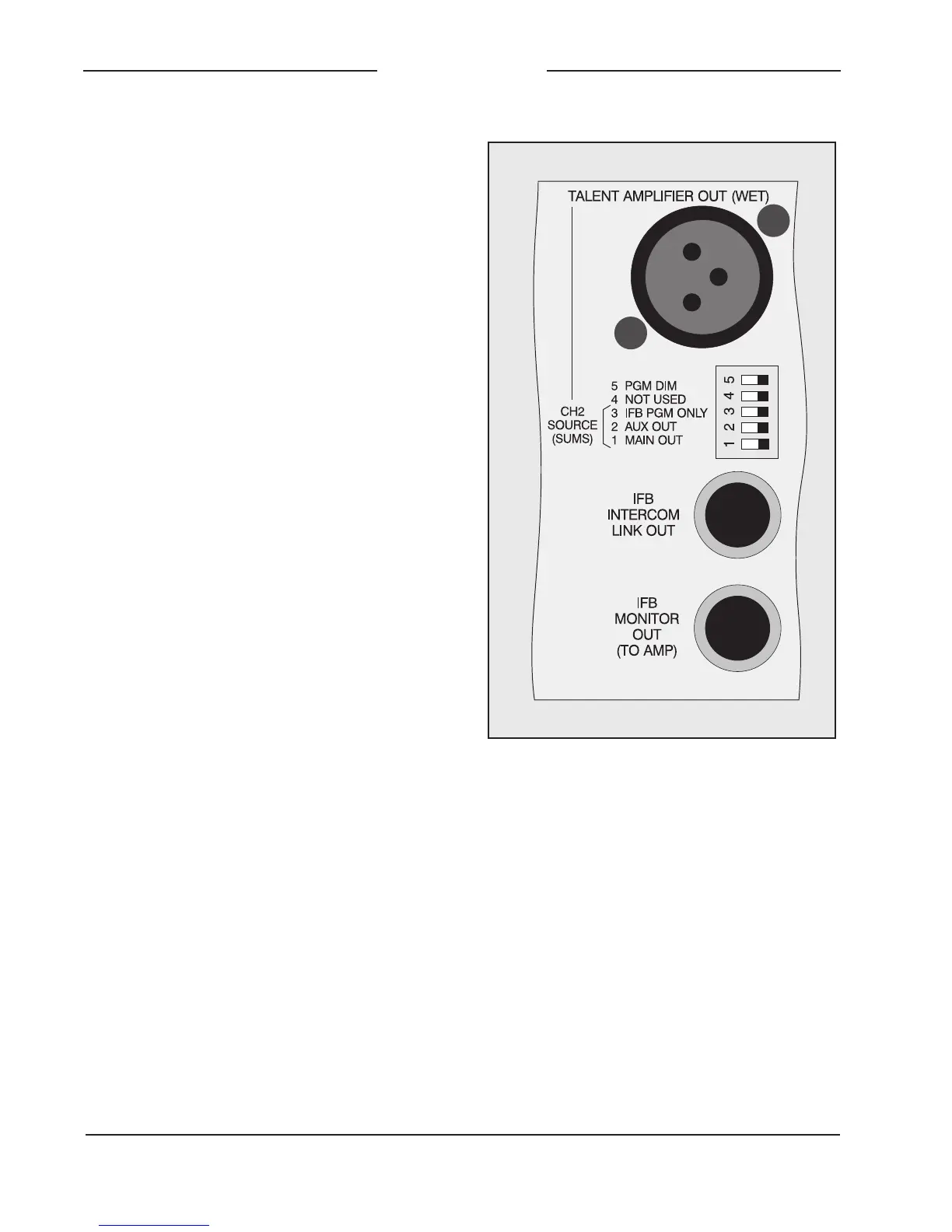
Positions 1, 2, and 3 of the DIP switch that
is located directly below the talent ampli-
fier output connector are used to select
the source for channel 2. Simply select
the source desired, or leave all three
switches in their off position to have chan-
nel 2 be a quiet output. Note that more
than one source can be selected at the
same timelet your imagination run wild
with the possibilities!
The ability to select the talent amplifier
output channel 2 audio source is very
useful, greatly expanding the capability
Figure 8. Detail of back panel showing PGM
dim/mute and talent amplifier output



 To Next Page