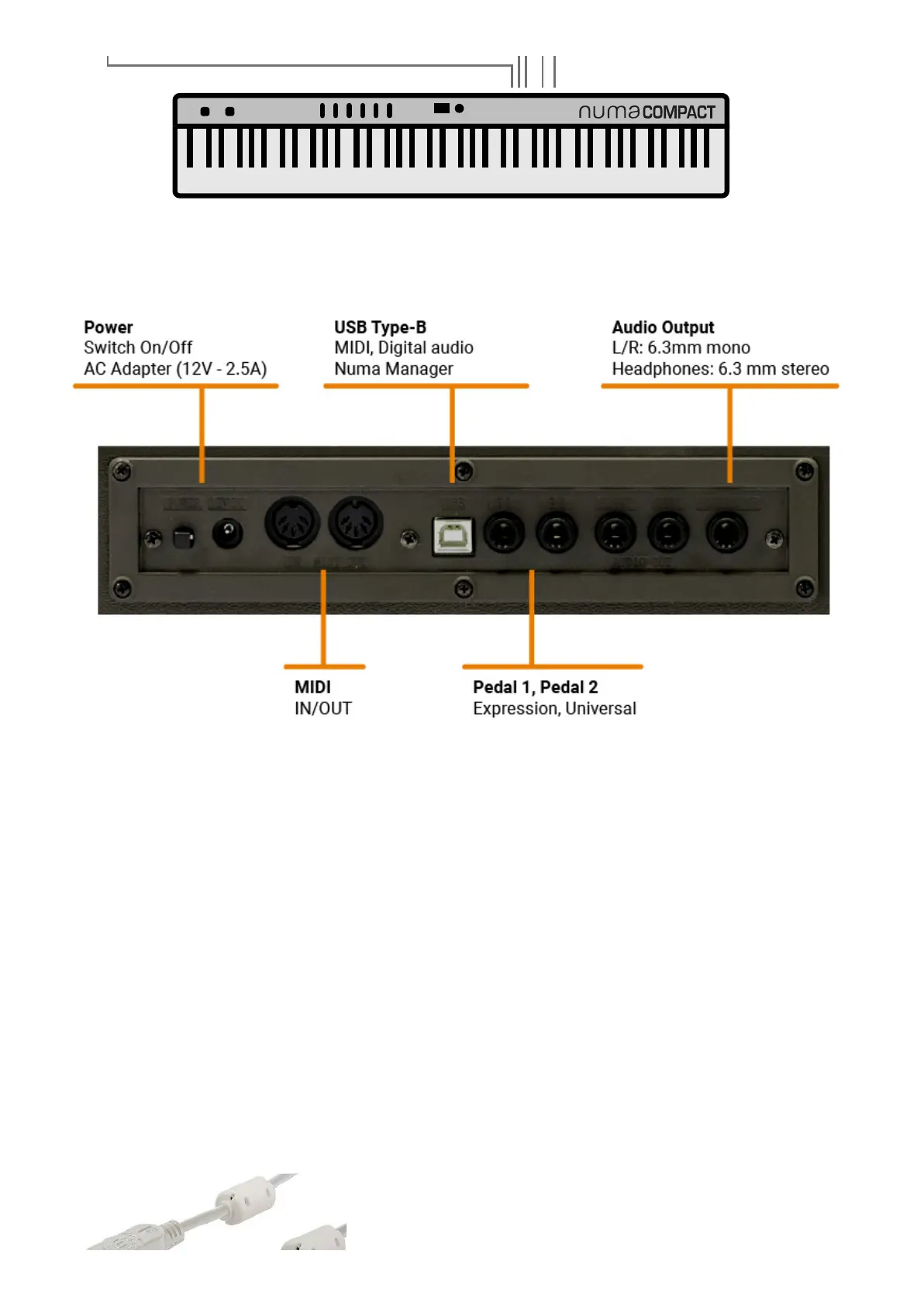
Use the power adapter supplied with the device to connect the Numa Compact to the power socket
(or use the USB connection). Switch the unit on by using the power button next to the power plug
of the Numa Compact, set the main Volume, Bass and Treble controls to the half position and the
Mastering control to zero-minimum (the function will be explained later on this manual) to avoid
excessive output power and allow the internal speakers to play with a correct dynamic range.
The instrument can also be powered by USB, using a shielded quality certified cable and providing
that the computer has enough power and not too many devices are powered through the same USB
port. When the instrument is USB powered, the internal amplification system is disconnected.
In
case of weak or unstable connection, use the traditional power (see previous paragraph).
User manual - Numa Compact X SE https://www.studiologic-music.com/support/articles/ncxse_manual/?l...
3 di 32 01/03/2024, 13:41



 To Next Page