SL Controllers by Studiologic®
9
E
Setup parameters
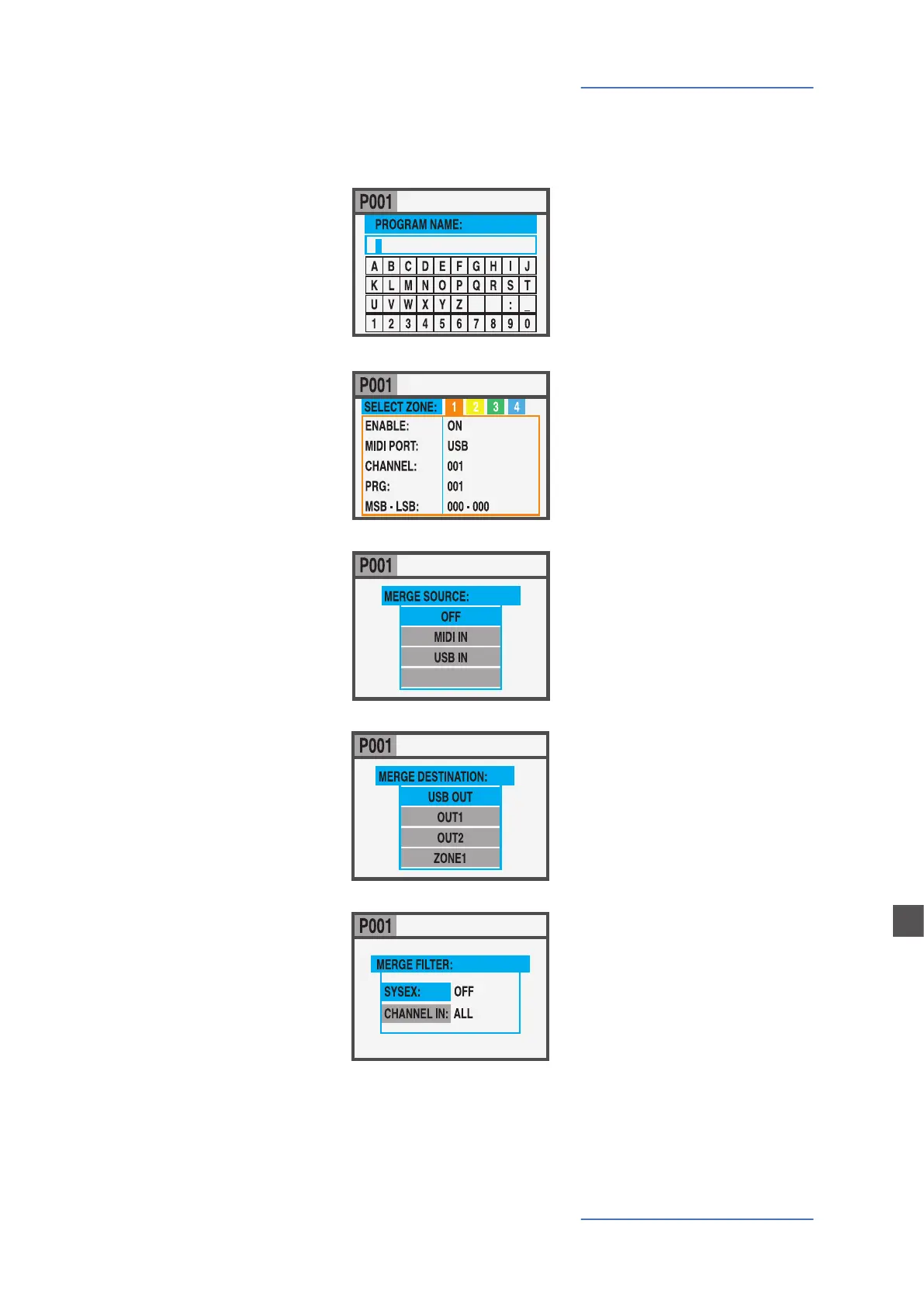
NAME
To name the current Program, by using the Encoder posi-
tional commands (left/right – up/down) and clicking when
the desired letter/number
is selected. You can either
move the cursor to the let-
ters/numbers area and select
them by clicking the encoder,
or rotate the encoder to se-
lect the letters and numbers.
ZONE EDIT
(refer to the related chapter
at page 29).
MERGE SOURCE
To select the source (MIDI IN
or USB) to be merged to the
DESTINATION.
-
SL 88 STUDIO_ _ _
MERGE DESTINATION
To select the destination of
all merged MIDI data.
MERGE FILTER
To lter (cut out) some MIDI
message when merging
SOURCE to DESTINATION.
Program Edit



 To Next Page