Setup & Operation
Parallel Mode Configuration
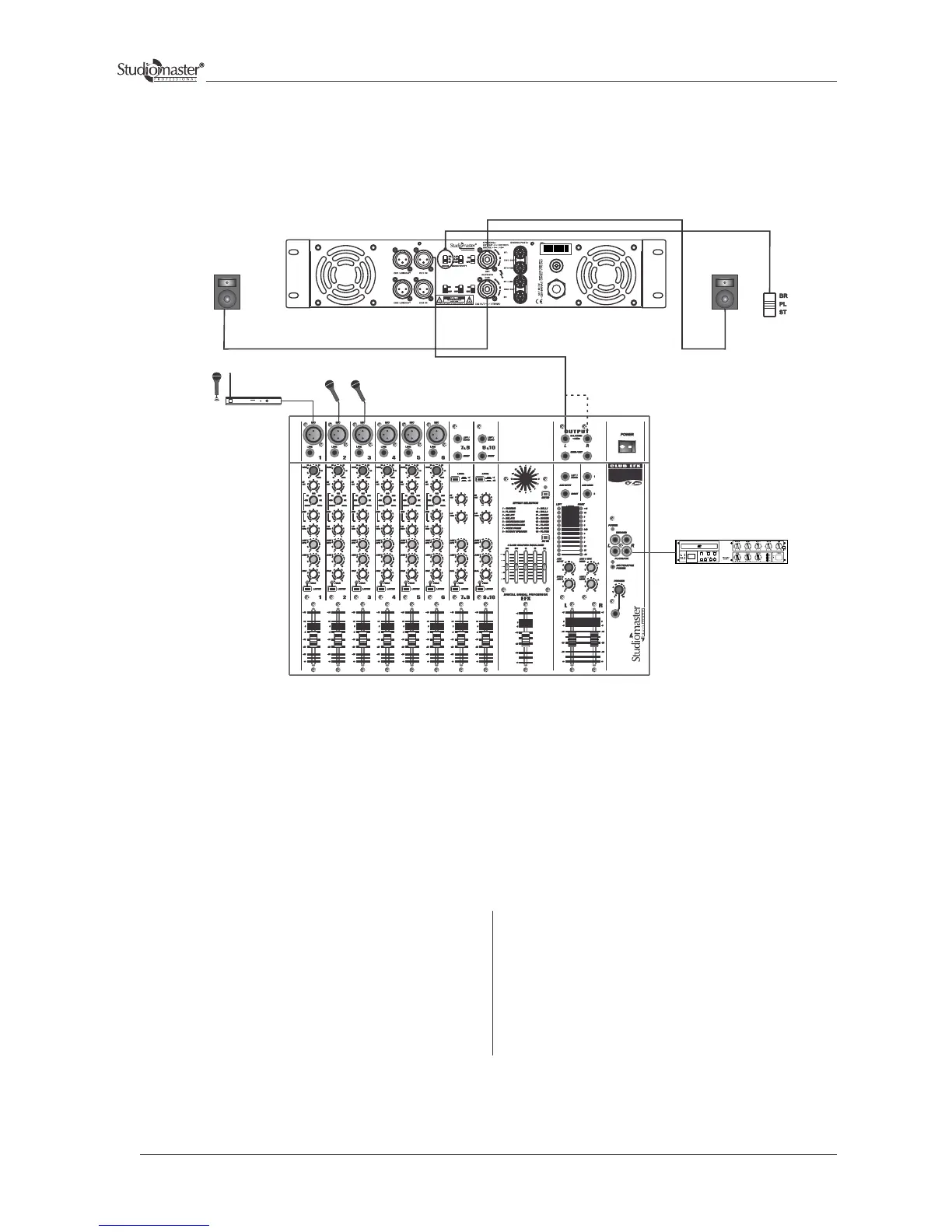
When operating in PARALLEL mode, the signal source should be connected to the balanced / unbalanced inputs of
channel 1 only. Both channels provide similar outputs to their respective loudspeakers. Each channel can separately drive
loudspeaker loads of 8 ohm or 4 ohm or 2 ohm.
Connect the line output of a mixer to a channel 1 input of
the amplifier. Inputs can be wired as per fig.1 & 2 (Input
Connections for Balanced and Unbalanced Mode)
Connect a speaker system (8 ohm / 4 ohm / 2 ohm) on the
output terminal of each channel. Either use the speakon
connector & wire these as per fig.3 (Output Connections
for Stereo / Parallel Mode) or use Binding Post as per wire
diagram of Fig. 5.
TO select PARALLEL mode, keep the slide switch,
provided at rear panel in parallel position.
The desired output levels for both the channels are
adjustable by volume controls of respective channels.
The level indicator LEDs glow to indicate the
presence of signal at the output terminals.
P A MIXER
CD PLAYER
SERIES
MICROPHONES
WIRELESS
MICROPHONE
‘Y’- Cable
Note:- ‘Y’ cable to be used to make mono cable or use mono output of mixer.
SPEAKER SYSTEM
(IMP 8Ω / 4Ω / 2Ω)
SPEAKER SYSTEM
(IMP 8Ω / 4Ω / 2Ω)
12



 To Next Page