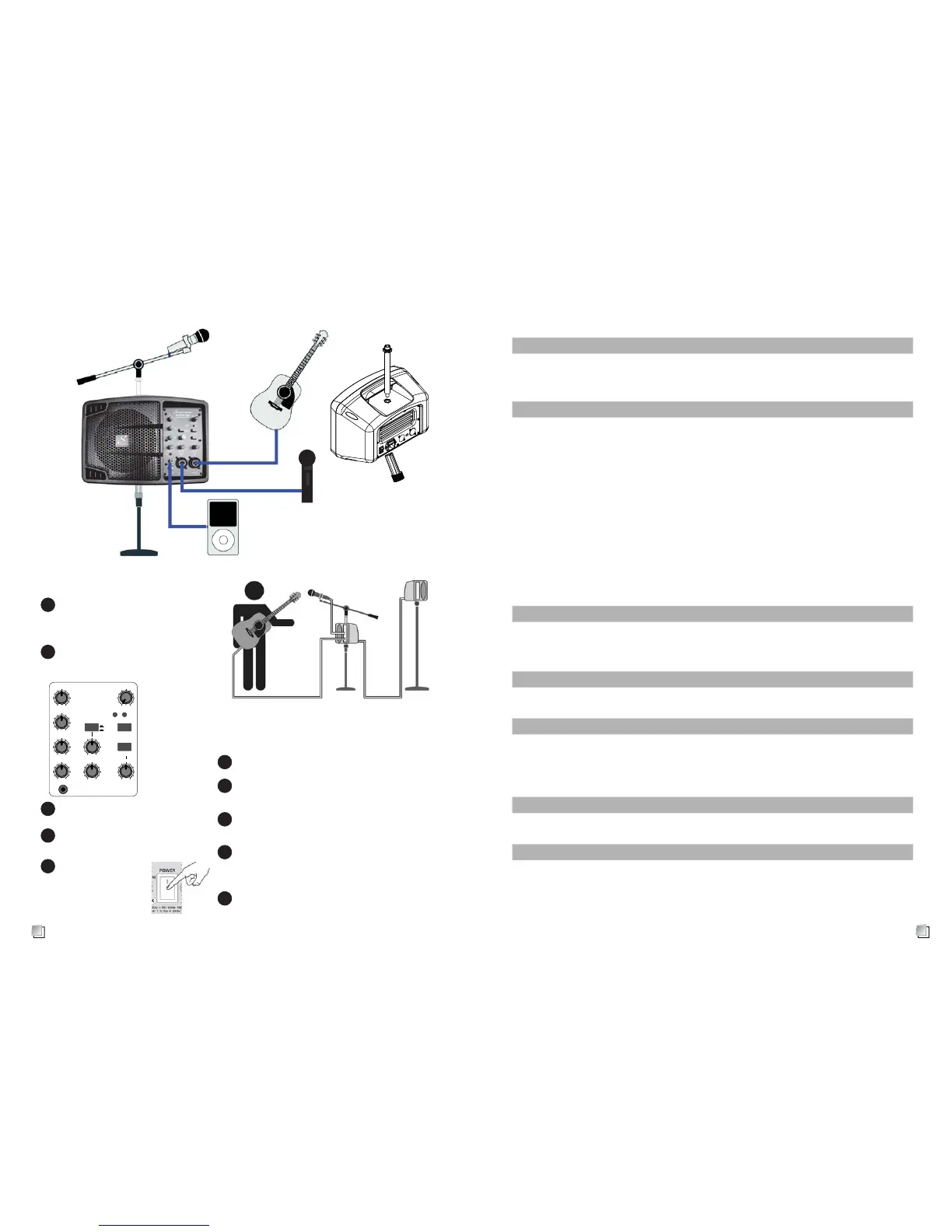
connect all devices
Set up one spealer cabinet as
monitor speaker cabinet.
1
2
3
turn on equipment power switches
(mixer mic, instrument. ).
4
Turn on LIVESYS5
power switch.
Check POWER
LED lights up.
5
Set MAIN LEVEL control to central position
6
Play the audio source signal or speak into
the microphone at normal level.
7
Adjust LEVEL knob to set the volume. If there
is distortion heard, reduce the the level.
8
If it is necessary, adjust the EQ HI/MID/LO
controls to boost or cut the frequencies to
get the desired sound.
9
Adjust MAIN LEVEL control to the required
output level
10
Operation instruction
Output power
RMS power 125W
peak power 150W
speaker dimension 5”
Audio Inputs
M I C / L I N E 1 X L R / J a ck combo
S e n s i t i v i t y Mic : -58dBu Line : -35dBu
Input Impedance 8k / 1M ohm switchable
M I C / L I N E 2 X L R / J a ck combo
S e n s i t i v i t y Mic : -58dBu Line : -35dBu
Input Impedance 8k ohm
AUX INPUT 2 x R C A p h o n o , 1 / 8” (3.5mm) mini-jack
PHANTOM POWER +48V to MIC 1 and 2 XLR inputs
EFFECT Echo + ambience
selectable Mic1, Mic1+2 or off
Frequency Response Input to amp : 20Hz to 20kHz
Max Input Level +20dBu
EQ
HF (EQ:12KHz) 15dB +/-3dB
MF (EQ:2.5KHz) 15dB +/-3dB
LF (EQ:100Hz) 15dB +/-3dB
Connection
THRU XLR MIC/LINE switchable
MAIN IN XLR/1/4 TSR
Speaker cabinet data
Max SPL 114 dB SPL@1M
limiter
frequency response 80HZ-14KHz(-10dB) ; 100Hz-10KHz(-3dB)
dynamic EQ processor control
Power supply
input voltage 100V-240VAC (3.15AH250V)
power consumption 180W
Dimension/weight
dimension(WxHxD) 345x230x300mm
weight 2.8kg
Specification


 To Previous Page
 Loading...