6
7. VOLUME control : Sets the overall sound level of the
monitor. Too much volume can result in a distorted
sound, feedback or hearing damage. Always turn the
VOLUME control fully anti-clockwise before turning on
or off the power.
8. POWER/PEAK LED : Normally illuminates green to
indicate the PAX12+ is switched on. However, should
too high a signal be applied by the GAIN or tone
controls, the LED will change colour to orange
indicating that distortion may occur. If this happens,
reduce the GAIN control slightly or turn down the
sound source.
Features - PX12+
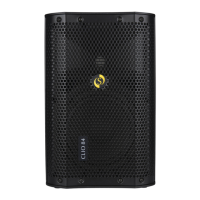
This is an extension (unpowered) loudspeaker cabinet for the
PAX12+. Use a suitable Jack to Jack speaker grade cable to
connect to the PAX12+. The socket to power the additional
monitor is located on the side panel of the PAX12+ and marked
EXTENSION SPEAKER. To avoid damage it is recommended
that only a PX12+ passive monitor should be used with a
PAX12+ powered monitor. However, other speaker cabinets can
be used providing they have the correct power rating and are 8
ohms impedance or above.
It is also recommended that the PX12+ only be used with the
PAX12+ although it can be used with other monitor systems and
amplifiers provided its power rating is not exceeded.
www.studiomaster.com



 To Next Page