
 Need help?
Do you have a question about the Studiomaster CLIO Series and is the answer not in the manual?
Advises on safe placement away from water, heat sources, and ensuring proper airflow.
Details safe connection to power, grounding, and cord handling to prevent shocks.
Warns against falling objects or spilled liquids entering the enclosure.
Lists conditions requiring professional servicing for the appliance.
Advises against forcing controls and emphasizes stable positioning for safety.
Emphasizes using qualified personnel for connections and re-checking before power-up.
Advises on routing cables away from magnetic fields and power lines to prevent hum.
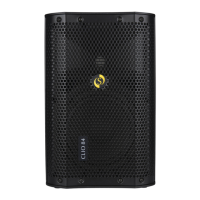
High-performance 2-way Bi-Amplified design active loudspeakers with efficient class D amplifier.
Integrates powerful LF & HF drivers for high SPL and wide dispersion area with easy DSP sound presets.
Includes USB/SD MP3 player and Bluetooth connectivity for wireless audio playback.
Details input types like RCA, Jack, and XLR, plus XLR line out for linking speakers.
Features built-in limiter, stand mounting socket, ergonomic handles, and durable moulded enclosure.
Overview of media player interface including Mode, playback controls, and USB/SD slots.
Features DSP Preset selection and DSP Controller for audio tuning.
Details Mic/Line inputs, Aux In, Line 2 inputs, and their respective level controls.
Includes Power switch, Power Cord Input, and Fuse Carrier for safe operation.
Description of SD Card Slot, USB Disk, Mode Selection, and playback controls.
Information on intellectual property rights and user agreement for product use.
Explanation of Power, Signal, and Clip LEDs indicating speaker status and audio levels.
Details on DSP presets, Aux In, Line 2, Mic/Line 1 inputs, and their level controls.
Explains how to set up and use Bluetooth for wireless audio streaming with a 13-meter range.
Steps to pair and connect Bluetooth devices, including re-connecting and changing devices.
Guidance on ensuring proper Bluetooth signal by avoiding obstructions and maintaining range.
Provides solutions for common Bluetooth connection issues like pairing and audio problems.
Specifications for Clio 84 and Clio 154, including amplifier type and protection.
Details RMS Power, input types, and input sensitivity for both speaker models.
Information on LF/HF driver sizes, frequency response, and total coverage.
Covers Max SPL, limiter, main voltage, fuse rating, dimensions, and net weight.
 General
| Brand | Studiomaster |
|---|---|
| Model | CLIO Series |
| Category | Speakers |
| Language | English |

 To Next Page
