6
Reconnecting Your Device
If you move out of range or turn off the Bluetooth feature on your mobile device, the Bluetooth
Receiver will get disconnected from your device. To reconnect, click on the device name (Bluetooth)
on your paired device list.
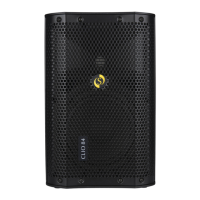
Setting up your Bluetooth Connection for Clio Series
l Press mode button to switch from USB mode to bluethooth mode.
l Clio 154: From your phone or any of the Bluetooth device turn Bluetooth ON and search for device
"Clio 154".
l Clio 84: From your phone or any of the Bluetooth device turn Bluetooth ON and search for device
"Clio 84". Pair and connect to it.
l Now any music or audio you play on your device will be played through Clio 154 / Clio 84 and the
music can be controlled (Play, Pause, Volume + and Volume -, Reverse & Forward) by either your
device or controls on the panel.
Out of Range or Lost Signal
If the music device (Mobile phones, Laptops, Tablet phones etc.) is out of range (beyond
13 meter) of the Bluetooth Receiver (Clio 154 / Clio 84) or if there is something blocking the
Bluetooth signal, which shall be indicated by loss of audio or audio intermittency. To avoid
a lost connection, move the music device back into range (within 13 meter), or reduce
obstruction between the receiver and your smart phone. The connection will automatically
be reestablished and audio signal will be through. If the connection does not restore you
will need to establish it again as mentioned in ‘‘Setting up your Bluetooth Connection’’.
Changing Connected Device
If you want to switch from one device to another, follow these steps:
1) End the existing Bluetooth connection from your device by either disconnecting within your
“settings” or turning off Bluetooth.
2) The Bluetooth can now be connected to a different BT device.
3) Follow the directions in ‘‘Setting up your Bluetooth Connection’’.
ATTENTION: 1) Please ensure that there isn’t any obstruction between Bluetooth Transmitter
(Mobile phones, Laptops, Tablet phones etc.) & Receiver (Clio 154 / Clio 84 Bluetooth).
Troubleshooting Bluetooth Connection
PROBLEM
POSSIBLE SOLUTION
Paired Bluetooth device
does not connect
Already connected to other BT device. Disconnect from it and
pair & connect again.
No or poor audio from
Bluetooth connection
Move your BT device away from devices that generate
electromagnetic interference, such as microwave ovens,
cordless phones, WIFI networks or other Bluetooth device.
Make sure that the BT module on the Clio 154 / Clio 84 panel is
not muted and the volume is up.
Make sure your Bluetooth transmitting device is playing audio
& the volume is up.
Your Bluetooth device may be out of the specified range,try
moving it closer to the Clio 154 / Clio 84.
Make sure that you work within the Bluetooth range of 13 meter,
taking care that there is no metal or human body interference.
Cannot pair the speaker
with your Bluetooth
device
Make sure you select “Bluetooth" in the pairing list on your device
to finalize the connection. (required by some devices)
Your Bluetooth device may be out of range-try moving it closer
to the Clio 154 / Clio 84.
Already paired to other BT device. Unpair from it and then pair
& connect again.


 To Next Page
 Loading...