EasyManua.ls Logo

Su-Kam SWAN - User Manual

Su-Kam SWAN
14 pages
Print Icon
To Next Page IconTo Next Page
Loading...
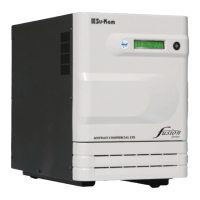
DIGITAL HOME UPS
USER'S MANUAL (IFU)
Before connecting, operating, or adjusting this unit, please read this instruction booklet carefully .
7 M i c r o c o n t r o l l e r b a s e d
technology using MOSFETs
7 Fuzzy logic control - a unique &
advanced technology
7 Smart overload sense and short
circuit protection
7 Automatic low battery cutout
7 PWM controlled efficient fast
charging
7 Great power saving
7 User-friendly LED indication
Salient features
GLOBAL CERTIFICATIONS:GLOBAL CERTIFICATIONS:
GOVERNMENT OF INDIAGOVERNMENT OF INDIA
MINISTRY OF SCIENCE & TECHNOLOGYMINISTRY OF SCIENCE & TECHNOLOGY
R&DR&D
Recognised Recognised
ISO 14001:2004
Customer Care : +91 124 4170561-566Customer Care : +91 124 4170561-566
Question and Answer IconNeed help?

Do you have a question about the Su-Kam SWAN and is the answer not in the manual?

Summary

Understanding the Front Panel Indicators

Power and Charging Status

Explains MAINS ON, INV. ON, and BATT. CHARGING/CHARGED graphical symbols.

Fuse Blown and Overload Indicators

Details the FUSE BLOWN indicator and the behavior of the MAINS ON symbol.

Front Panel Status and Controls Explained

Low Battery and Overload;Short Circuit Status

Explains LOW BATT. and O.L. / SHORT CIRCUIT symbols and their operational behavior.

Power Active Switch Functionality

Details the function of the latching ON/OFF switch for UPS activation.

Back Panel Configuration and Connections

Back Panel Overview

Describes rear panel components like battery wires, input/output sockets, and fuse holder.

Toggle Switch Settings

Explains settings for UPS/INV mode and Normal/High Charging current.

Important Safety Instructions

General Safety Precautions

Instructions on reading manuals, avoiding liquids, professional repair, and cleaning.

Risk of Explosive Gases Warning

Details warnings about lead-acid battery gases and ventilation requirements.

Specific Operational Precautions

Guidance on avoiding certain loads during backup and stabilizer connections.

Grounding System Requirement

Mandates connecting the Home UPS to a grounded, permanent wiring system.

Troubleshooting Common Issues

Power and Operation Problems

Addresses symptoms like blown fuse, no power during backup, and non-operation.

Output and Voltage Issues

Covers problems like no output, system shutdown, incorrect voltage, and low surge power.

Technical Specifications Overview

Voltage Limits and Output Parameters

Details voltage limits in UPS/INV modes and output frequency, voltage, overload.

Battery Charging Specifications

Covers charging current limit, boost/float voltage, battery limits, and capacity.

Model and Environmental Specifications

Technology and Models

Lists models, capacities, and technology used (Microcontroller, Fuzzy Logic).

Environmental Operating Conditions

Specifies storage/operating temperature and humidity limits.

Warranty Information

Warranty Terms and Conditions

Details the 2-year warranty period, exclusions, and liability limitations.

Warranty Registration Details

Fields for recording Model No., Serial Number, Purchaser Name, and Purchase Date.

Su-Kam SWAN Specifications

General IconGeneral
BrandSu-Kam
ModelSWAN
CategoryUPS
LanguageEnglish

Related product manuals