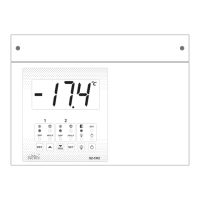
How to Change the Parameter Value:
In Set Mode:
Press and hold key for 2 seconds and release. Display will show ‘SP1’. To go to other
parameters, use keys. After desired value, press the SET key & you will see
“- - -” which confirms that the parameter value has been stored in memory.
In Program Mode:
Press and hold key for 2 seconds and release. Display will show ‘CS’. To go to other
parameters, use keys. After desired value, press the SET key & you will see
“- - -” which confirms that the parameter value has been stored in memory.
Min: MINIMUM Max: MAXIMUM
Fac: FACTORY SETTING (DEFAULT)
Description of Parameters and Functions
Function: To set Cut OFF Set Point for Compressor1
Relay.
In this mode Compressor1 will be ‘ON’ if the Control
(Main) Probe Temperature reaches or goes above
‘‘Set Point + Differential” (SP1 + P4) and Compressor1
will be ‘OFF’ if Control (Main) Probe Temperature
reaches or goes below Set Point (SP1).
Example:
When Set Point1 is 0.0°C and Differential is 2.0°C. If
the Control (Main) Temperature reaches or goes
above 2.0°C (0.0°C + 2.0°C), Compressor will be ON.
Compressor will be OFF when Control (Main)
Temperature reaches or goes below 0.0°C.
Note:
This parameter is considered only if, CS not equal to
C2.


 To Next Page
 Loading...