16
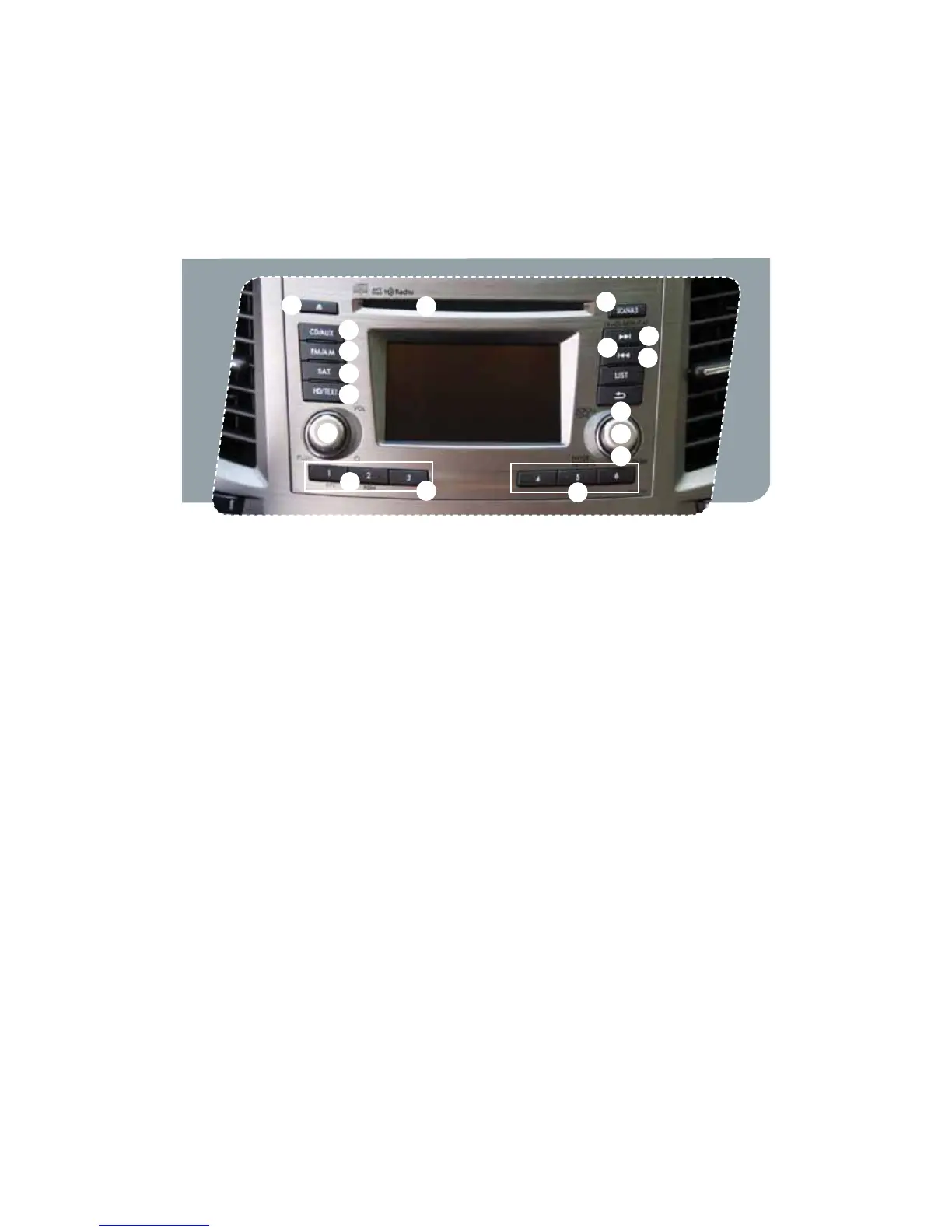
Controls
1
HD Radio
®
with Single Disc
CD/MP3/WMA Player
(if equipped)
Radio Functions
1. Power / Volume Control
Press the power / volume control knob
for on or off; rotate the knob to control
the volume.
2. Bass, Middle, Treble, Fader and Balance
1SFTTUIFi4&55*/(wLOPCSPUBUFUIF
knob to select the preferred menu. Press
the knob again to enter the selected
menu; rotate the knob to adjust the feature.
3. FM / AM
1SFTTUIFi'.".wCVUUPOUPDIPPTF
FM1, FM2, FM3 or AM reception.
4. Tune / Track
3PUBUFUIFi4$30--56/&w
knob clockwise to increase the
tuning frequency; rotate the knob
counter-clockwise to decrease it.
5. Seek
1SFTTUIFSJHIUPSMFGUBSSPXPGUIFi4&&,w
button to pick up the next highest or
lowest frequency.
6. Presets
You can save up to six favorite stations
GPSFBDICBOEo'.'.'.BOE".
Select a frequency and press one of the
preset buttons until a conrmation beep
is heard.
7. Satellite Radio
You can hear satellite radio programs by
QSFTTJOHUIFi4"5wCVUUPO5PSFDFJWF
satellite radio service after your trial
period, it is necessary to enter into a
separate contract with the satellite
radio provider.
11
9
3
8
13
5
12
7
16
14
10
4
2
6
6
15
939416_12a_Subaru_Outback_QRG_082211b.indd 16 8/22/11 4:33 PM















 To Next Page