18
Controls
1
AM/FM Stereo with Single
Disc CD/MP3/WMA Player
(if equipped)
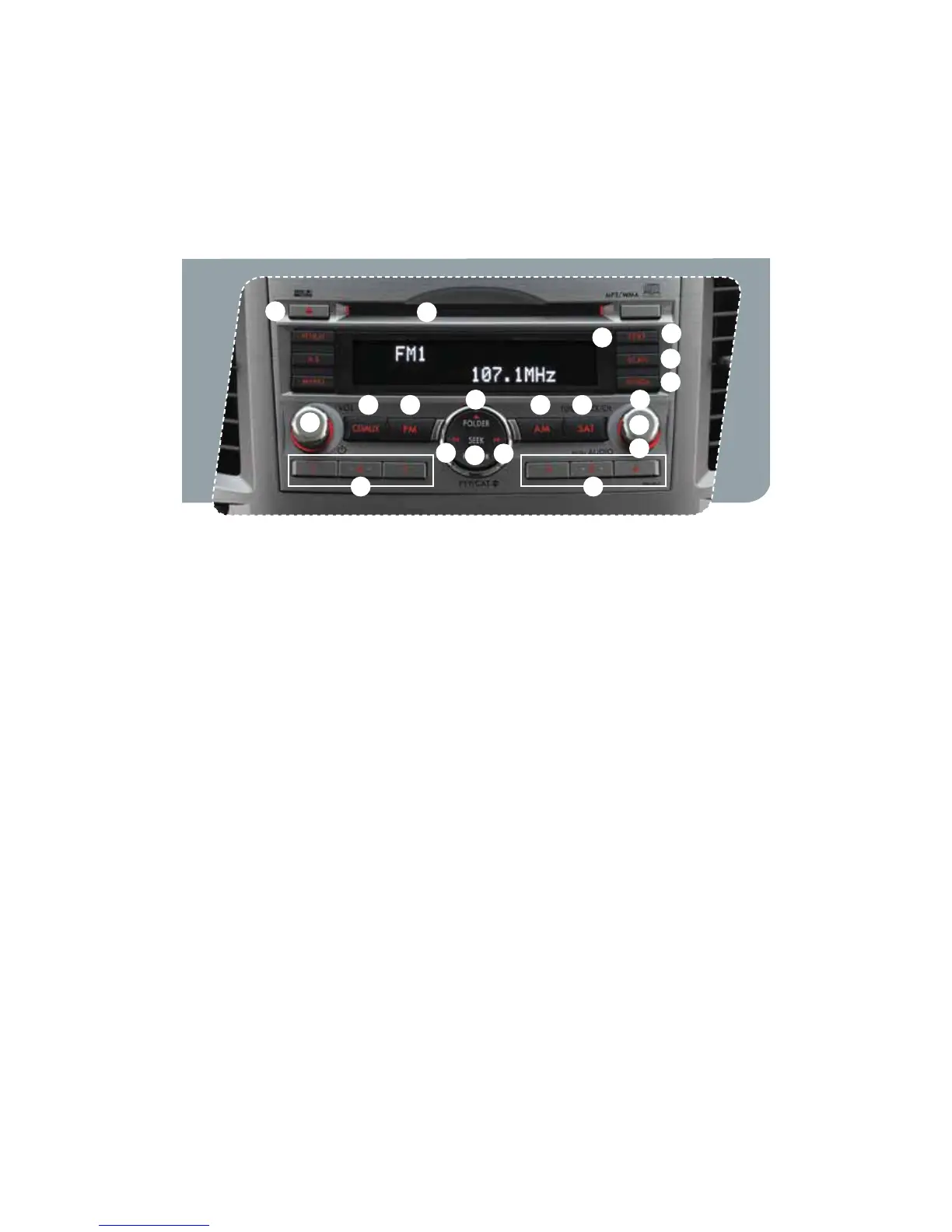
Radio Functions
1. Power / Volume Control
Press the power / volume control knob
for on or off; rotate the knob to control
the volume.
2. Bass, Middle, Treble, Fader and Balance
&BDIQSFTTPGUIFi56/&53"$,$)w
button will cycle you through Bass,
Midrange, Treble, Fade or Balance. Rotate
UIFi56/&53"$,$)wLOPCUPBEKVTU
the desired level.
3. FM / AM
1SFTTUIFi'.wCVUUPOUPDIPPTF'.
'.PS'.SFDFQUJPO1SFTTUIFi".w
button to choose AM reception.
4. Tune / Track
3PUBUFUIFi56/&53"$,$)w
knob clockwise to increase the
tuning frequency; rotate the knob
counter-clockwise to decrease it.
5. Seek
1SFTTUIFSJHIUPSMFGUBSSPXPGUIFi4&&,w
button to pick up the next highest or
lowest frequency.
6. Presets
You can save up to six favorite stations
GPSFBDICBOEo'.'.'.BOE".
Select a frequency and press one of the
preset buttons for more than 1.5 seconds
to store it.
7. Satellite Radio
An optional satellite radio tuner and
antenna can be connected to this audio
unit. You can hear satellite radio programs
CZQSFTTJOHUIFi4"5wCVUUPOBGUFS
connecting optional equipment. To receive
satellite radio service, it is necessary to
enter into a separate contract with a
satellite radio provider.
11
9 3
8
15
13
5
13
3 7
16
17
14
10
4
2
6 6
12
939416_12a_Subaru_Outback_QRG_082211b.indd 18 8/22/11 4:33 PM















 To Next Page