3. Confirmation of Details of Malfunction Occurrence
ͻ Check that Wi-Fi is connected. Is the Wi-Fi icon displayed on the upper right of the CID screen?
No Proceed to "Wi-Fi cannot be connected"
Yes Proceed to the next step
ͻ Check that the clock on the CID screen is correct
No Perform the following countermeasure and check FOTA again
ͻ When setting the clock with automatic setting: Move to an area where GPS can be
received, and wait for the clock to update.
ͻ When setting the clock with automatic setting: Set the clock according to the actual
time (with a time gap within 10 seconds)
* : Auto/Manual Check Method: Transition from "Setting," to "General," and then to
"Clock."
Yes Proceed to the next step
ͻ Transition from "Setting," to "General," to "Software update," and then to the "Update" screen.
Then,press "Check for Update."
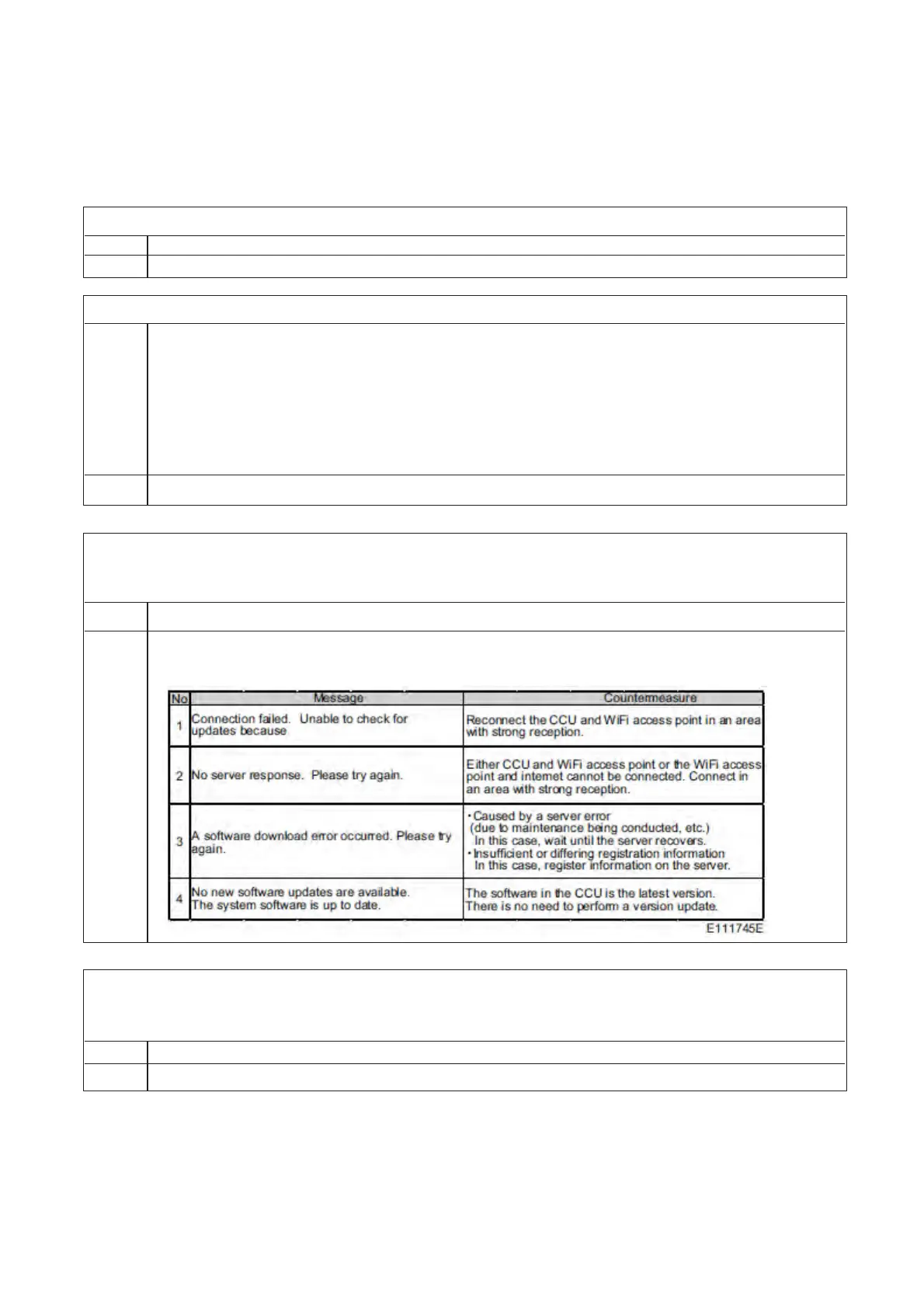
Is one of the following screens displayed?
No Proceed to the next step
Yes If any message of 1 through 3 are displayed, perform the following countermeasures,
and check MOTA again
ͻ Reprogram using a USB flash drive, and check if the update can be performed normally.
ͻ Turn the engine off, open the door, and then close the door. Then, wait 3 minutes or more, and
turn the ACC and ignition.
No CCU abnormality
Yes Nothing abnormal


 To Next Page
 Loading...