(3)Diagnostic Procedure
1. Check the DTC
ͻ Confirm whether the following DTC have been detected
㻌 B2251: Amplifier abnormality (sky fault)
㻌 B2252: Amplifier abnormality (ground fault)
㻌 B2253: Amplifier abnormality (DC Offset)
㻌 B2244: Amplifier communication
No If these DTC are detected, proceed to the countermeasure for each DTC
Yes Proceed to step 2
2. Confirmation of details of malfunction occurrence
ͻ Are there other USB devices (mobile phones, etc.) that can connect to the CCU and be
recognized?㻌 Connect the mobile phone to the AUX-BOX connector with a USB cable. Does
the audio play?
No Refer to "USB cable does not connect"
Yes Proceed to the next step
ͻ Does the USB audio play on non-vehicle devices (PC, etc)
No USB audio abnormality. Recreate the USB audio.
Yes Proceed to the next step
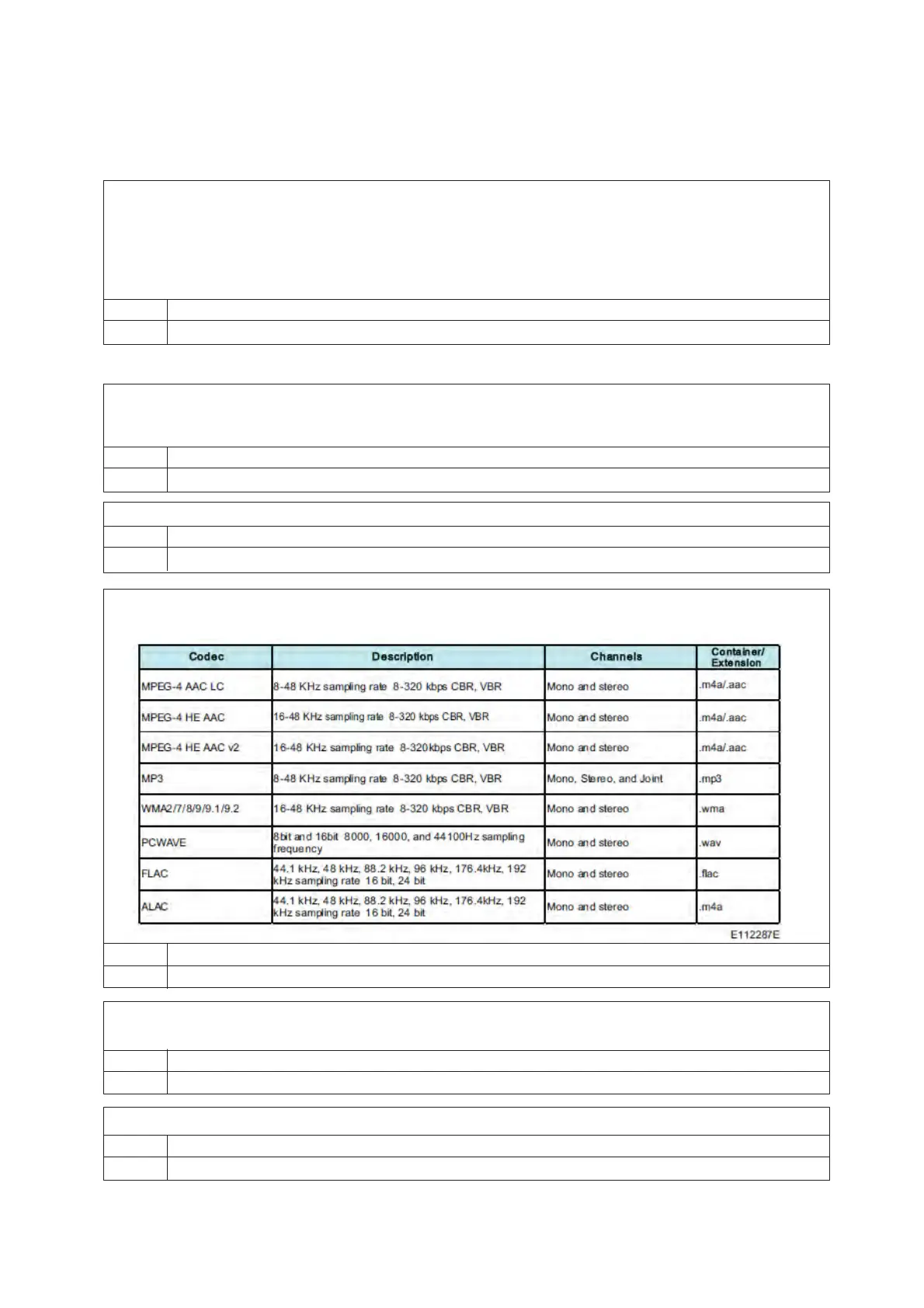
ͻ Is the audio source in a compatible format?
Is the format and file name extension included in the following list?
No Outside safe operating range
Yes Proceed to the next step
ͻ Is the volume set to 0 or MUTE?
Check that audio is output when the knob is turned to raise the volume.
No Set the volume, and then check again.
Yes Proceed to the next step
ͻ Does sound of other voice audio (radio or XM) play?
No Amplifier or speaker abnormality
Yes CCU abnormality


 To Next Page
 Loading...