9.19 CID: Screen does not display( Rear View Camera )
(1) Probable Cause
㻌㻌ͻ Rear View Camera abnormality, CCU abnormality, Harness abnormality,
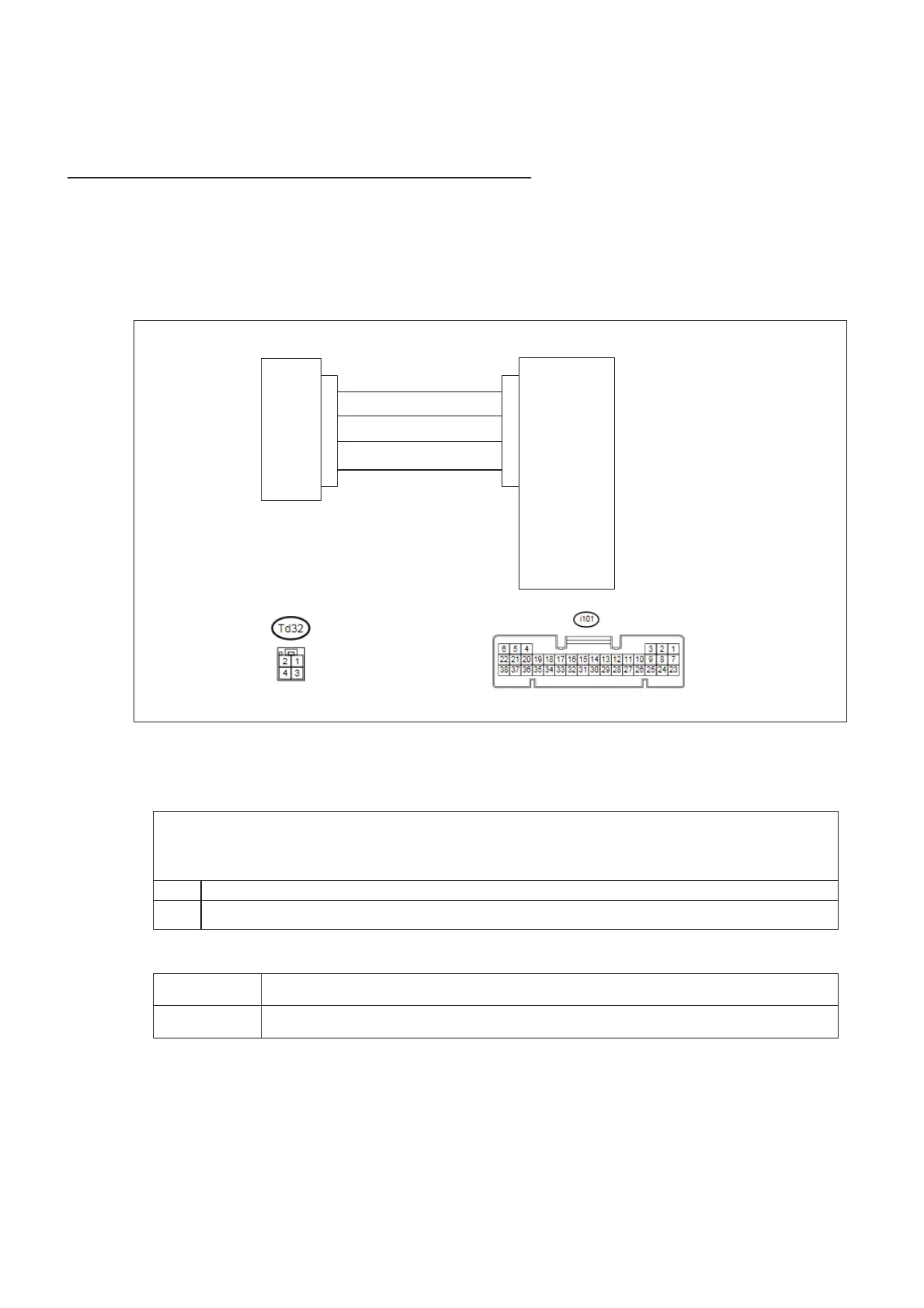
(2) Wiring Diagram/Connector Diagram
(3)Diagnostic Procedure
1. Check the DTC
CCU
Rear View Camera
CA+
CAо
6V+
GND
27
28
29
26
3
1
2
4
ͻ Confirm whether the following DTC have been detected
B2241:CAN COMMUNICATION
B224A:BACKUP CAMERA
No Proceed to step 2
Yes If these DTC are detected, proceed to the countermeasure for each DTC
2. Check camera picture at CDI
No Pictures Check “Reverse” signal of CAN Network.
Blue screen Check the camera system. Proceed to step 3.


 To Next Page
 Loading...