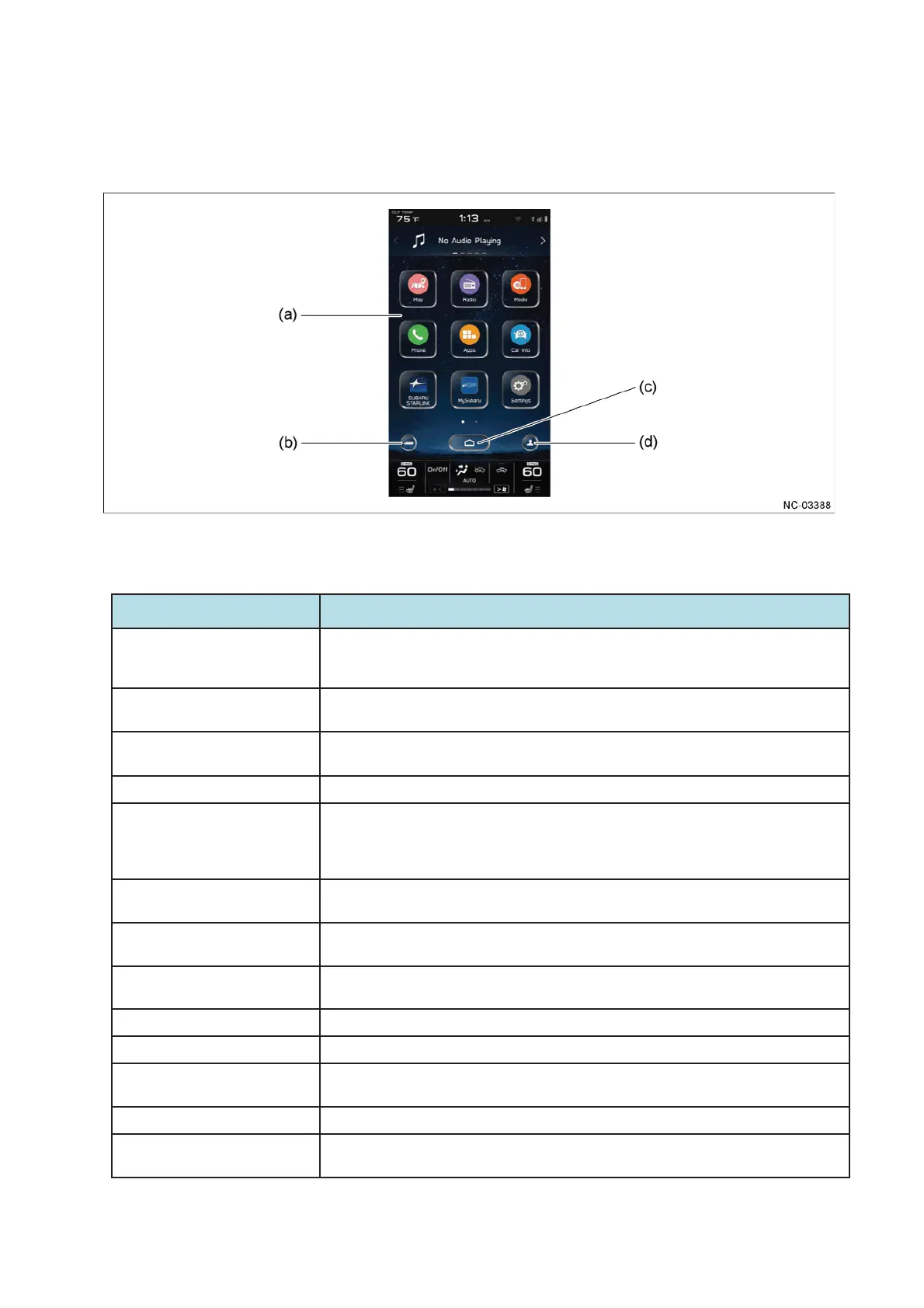
(a) Home screen (c) Home button
(b) Vehicle setting shortcut button (d) Driver profile button
Icon name䠋Button name
Contents
Vehicle setting shortcut button - Enables operation of setting items for vehicle equipment categorized in the tabs of Vehicle
Control, Driving Assistance and Other.
- This can be operated even while driving.
Home button Enables the display of the Home screen. When the Home button is touched, the screen
transitions to the Home screen regardless of the displayed contents of the category screen.
Driver profile button Enables the display language and name of the infotainment system to be registered by
linking the system to a Bluetooth-connected mobile phone.
Radio
Enables operations for the AM/FM radio function and SiriusXM radio function.FM
Media Enables the operation of an iPod, iPhone or USB device such as USB memory on which
music files are recorded that is connected to the USB terminal, the operation of a device on
which music files are recorded that is connected via Bluetooth, and audio output operations
of a portable audio player connected to the AUX terminal.
Phone Enables Bluetooth connection operations for a mobile phone and operations for various
hands-free functions.
Map䠄11.6-inch display audio and
navigation䠅
Enables the display of the map screen and the operation of the navigation function.
Apps Enables operations for the SUBARU STARLINK function, Travel Link function, Apple CarPlay
function and Android Auto function.
SUBARU STARLINK Enables operations for the SUBARU STARLINK function.
My Subaru Enables operations for the My Subaru function.
Car Info Enables the display or operation of information screens categorized in the tabs of Driving
Statistics, Advanced Package and Maintenance.
Settings Enables operation of setting items for the infotainment system.
Add to Shortcuts Enables the addition or deletion of a shortcut icon for the selected function to the Home
screen.


 To Next Page
 Loading...