D
Push-button ignition switch (if equipped)
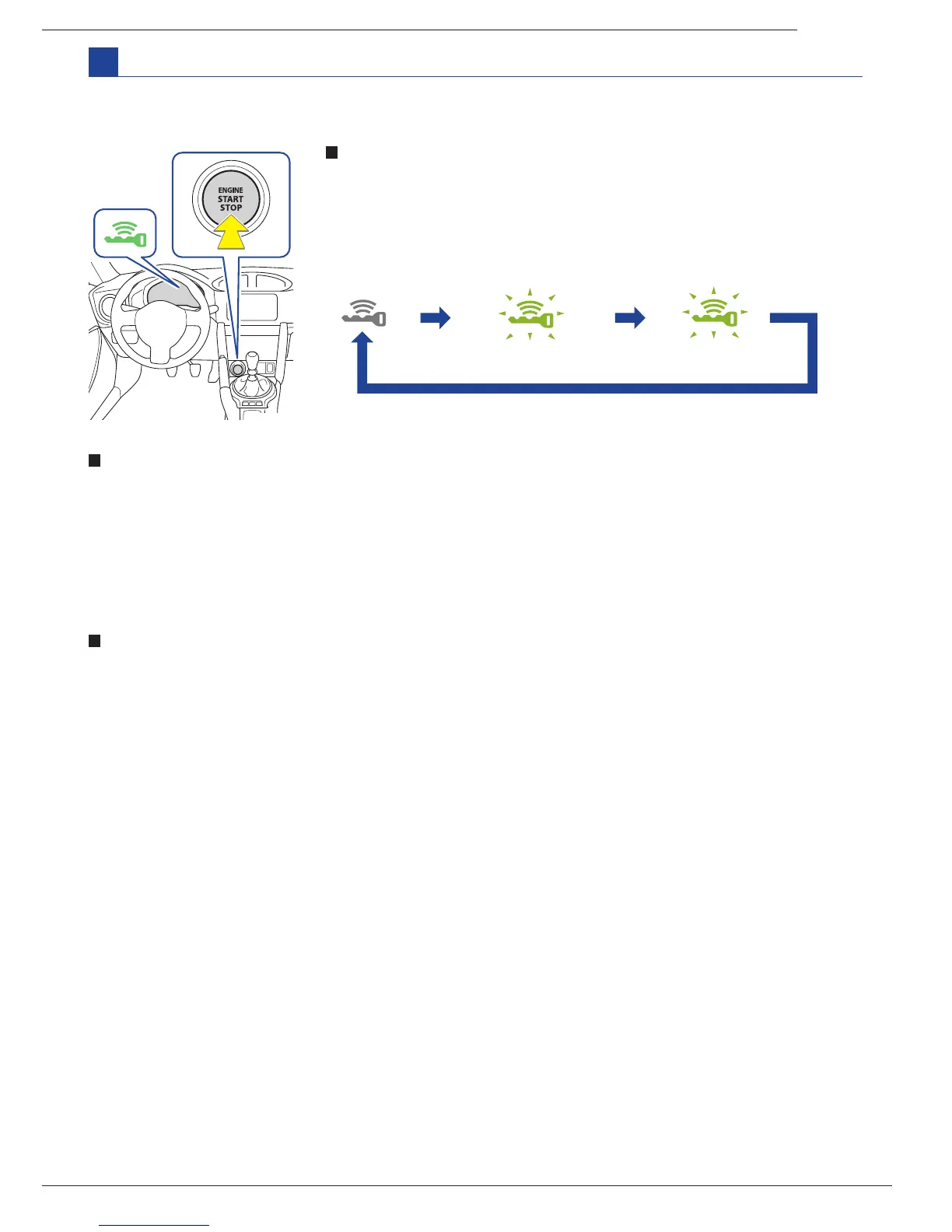
Changing push-button ignition switch mode
Modes can be changed by push-button ignition switch with the brake
pedal (vehicles with an automatic transmission) or clutch pedal (vehicles
with a manual transmission) released. (The mode changes each time the
switch is pressed).
Starting the engine
Vehicles with a manual transmission:
Vehicles with an automatic transmission:
STEP1: Check that the parking brake is set.
STEP2: Check that the shift lever is set to neutral.
STEP3: Firmly depress the clutch pedal.
The push button start system indicator light
(green) will turn on.
STEP4: Press the push-button ignition switch.
Performing the following operations when carrying the access key on your person starts the engine or
changes push-button ignition switch modes.
STEP1: While depressing the clutch pedal, stop the vehicle.
STEP2: Shift the shift lever to neutral.
STEP3: Set the parking brake.
STEP4: Release the clutch pedal.
STEP5: Press the push-button ignition switch.
STEP6: Check that the keyless access with push-button start system indicator light (green) is off.
Stopping the engine
Vehicles with an automatic transmission:
Vehicles with a manual transmission:
STEP1: Check that the parking brake is set.
STEP2: Check that the select lever is set to P.
STEP3: Firmly depress the brake pedal.
The push button start system indicator
light (green) will turn on.
STEP4: Press the push-button ignition switch.
STEP1: Stop the vehicle.
STEP2: Shift the select lever to P.
STEP3: Set the parking brake.
STEP4: Release the brake pedal.
STEP5: Press the push-button ignition switch.
STEP6: Check that the keyless access with push-button start system indicator light (green) is off.
Off
ACC
ON
Flashes slowly Flashes slowly



 To Next Page