M
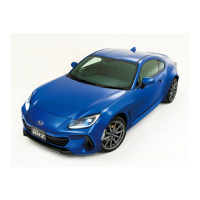
TRAC/VSC OFF switch
To turn the Traction Control System off, quickly press and
release the button.
The
TRAC OFF
indicator light will come on.
Press the button again to turn the system back on.
Turning off both Traction Control System and Vehicle Stability Control (VSC) systems:
L
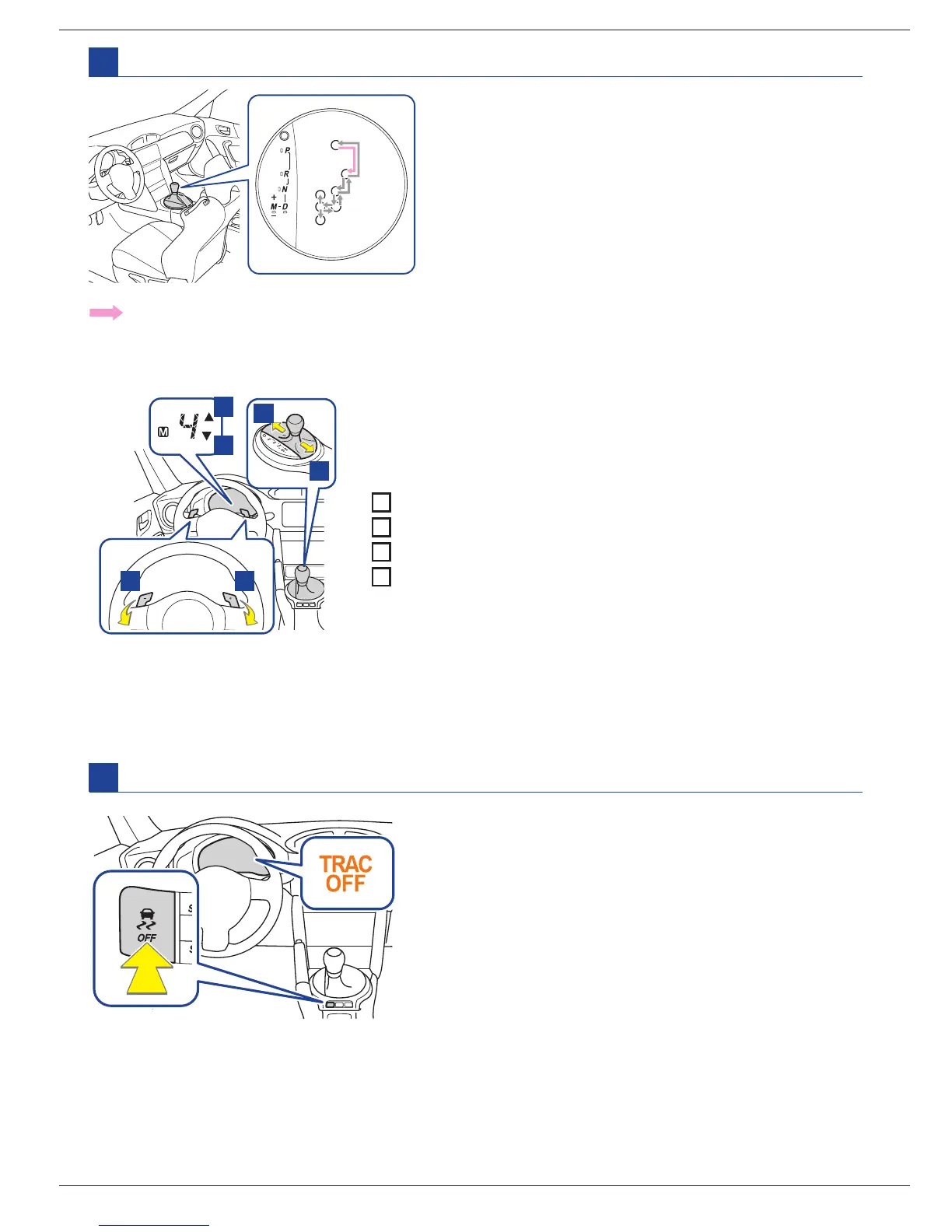
Automatic transmission (if equipped)
P = Parking
R = Reversing
N = Neutral
D = Drive
For normal driving/temporary manual mode driving.
M = Manual mode
Manual mode driving:
To enter manual mode, shift the select lever to the
M
position.
While the engine switch is in the
ON
position, or the push-button ignition switch is in
ON
mode, move the select
lever with the brake pedal depressed.
1
2
34
1
Upshift indicator
2
Downshift indicator
3
Upshifting (+)
4
Downshifting (–)
Each time the select lever or paddle shift levers are operated,
the gear changes up or down one gear and the selected gear,
1
through
6
, will be set. The selected gear, from
1
to
6
, and
M
will
be displayed on the shift position and shift range indicator.
To turn the Traction Control System and Vehicle Stability Control systems off, press and hold TRAC/VSC
OFF switch for more than 3 seconds while the vehicle is stopped. The TRAC OFF indicator light and the
VSC OFF indicator light will come on. In this case, the brake LSD function remains on. Press the button
again to turn the systems back on.
3
4
Temporary manual mode driving (vehicles with paddle shift levers):
Temporary manual mode driving can be changed to by operating the paddle shift levers while the select
lever is in the D position.



 To Next Page