20 21
Getting
Started
Instrument
Panel
Gauges
Personalize Controls While
Operating
Safety / In Case
of Emergency
Additional
Information
Controls
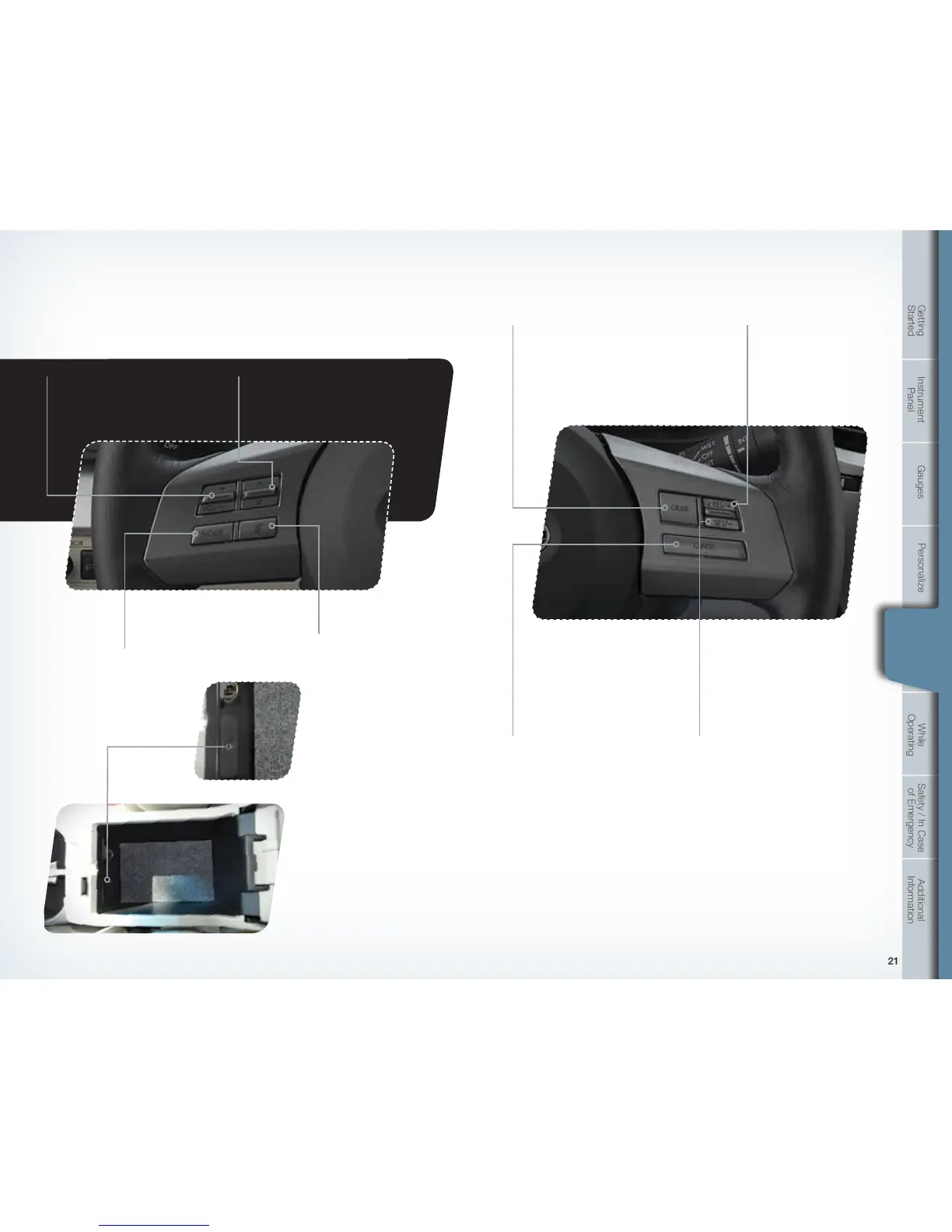
• Push the switch to increase
or reduce volume.
Controls
Aux Jack
The aux jack is located in
the center console. You
can connect a portable
music player to the
auxiliary jack and hear the
music stored on it through
the vehicle speakers.
Press the “CD/AUX”
button located on the
audio system; to select
the auxiliary mode.
Steering Wheel Audio Controls (if equipped)
Cruise Control
• Press the button to select the
desired audio mode – FM,
AM, SAT, CD, AUX, MEDIA.
• With any of the radio modes selected, push
the switch up or down to nd the desired
frequency. In CD mode, push the switch up
or down to skip forward or back a track.
• Press to shut off
the sound.
• To activate the cruise control, press the
“CRUISE” button. The “CRUISE” indicator
light on the instrument panel will turn on.
To quit cruise control, press the “CRUISE”
button again.
• Press the accelerator pedal until
your vehicle reaches the desired
speed. Push the switch to the
“SET” side and release. Ease off
the accelerator pedal. Your vehicle
will maintain the desired speed.
• To cancel the cruise control, push
the brake pedal or press the
“CANCEL” button. If you have
a manual transmission, you can
push in the clutch pedal or shift
the selector lever into the “N”
(Neutral) position (AT, CVT and
MT models).
• To resume your speed after
canceling, push the switch
to the “RES” side.
Increase speed
Push up the “RES/SET” switch
to the “RES” side, hold until your
vehicle reaches the desired speed,
and release. To increase speed
using the accelerator pedal, press
the pedal until you reach the desired
speed. Push down the “RES/SET”
switch to the “SET” side to set
the speed.
Decrease speed
Push down the “RES/SET” switch
to the “SET” side, hold until your
vehicle slows to the desired speed,
and release. To decrease the speed
using the brake pedal, press the
pedal to release cruise control
temporarily. When the speed
decreases to the desired speed,
push down the “RES/SET” switch to
the “SET” side to set the speed.
769269_11_Subaru_Legacy_QRG_051310b.indd 20-21 6/15/10 2:19 PM















 To Next Page