3
Safety & Navigation
Information
Emergency
Screen
Finding an
Address
Finding a Point
of Interest
Home
Registration
Additional
Quick Tips
ety
Information
rge
Screen
g an
ddres
g a
of Interes
Registration
ona
Quick Tips
Safety &
Navigation
Introduction
Navigation Introduction
Your Navigation System helps you nd travel routes, create maps, store
addresses, and more. Prior to using the system, be sure to read the full Navigation
System Owner’s Manual Supplement so you have a complete understanding of
the system. For your convenience, this Quick Reference Guide offers a quick guide
for regularly used features.
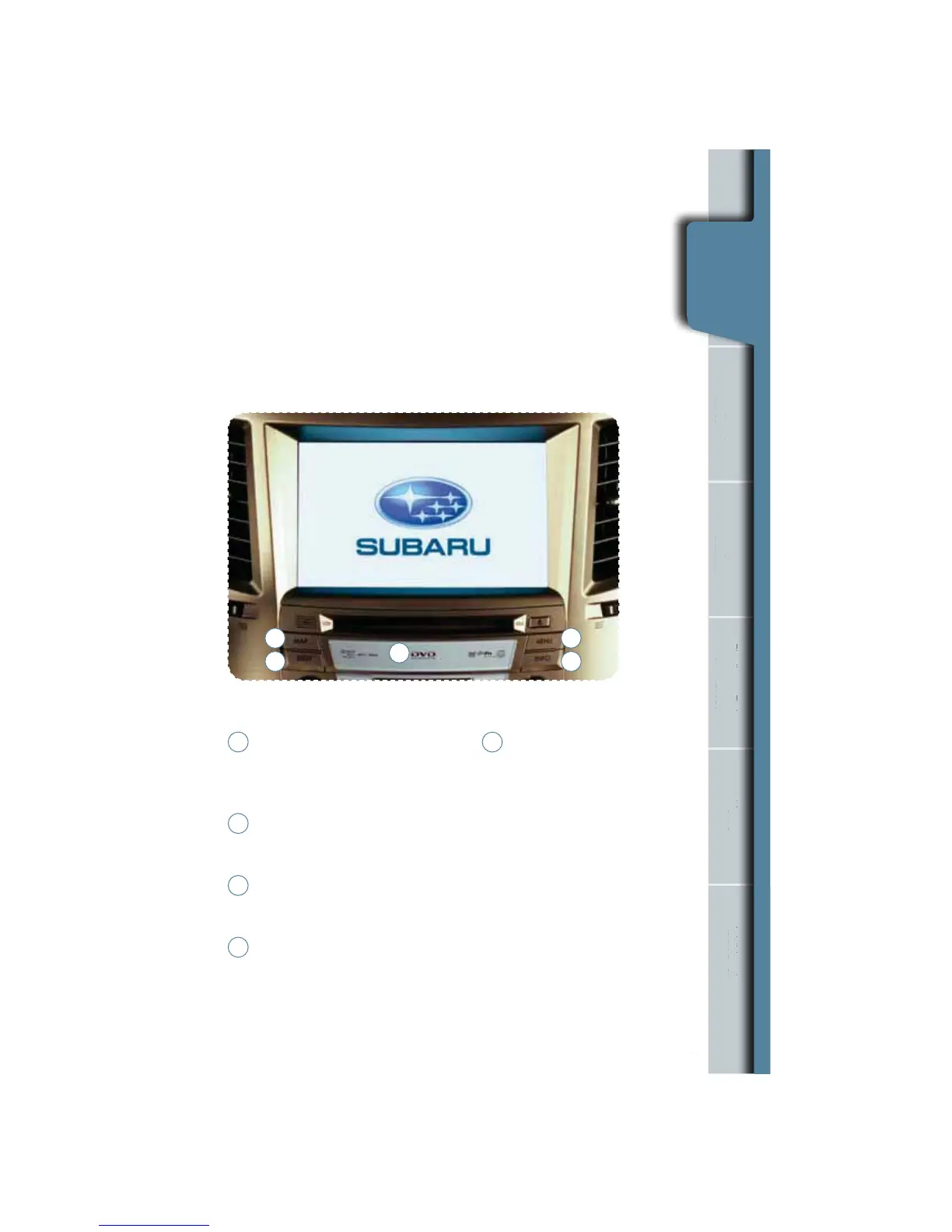
Your control panel is your access to the Navigation System. You must
stop your vehicle in a safe place before operating the system. Some of
the controls and functions cannot be used unless the vehicle is stationary.
1
2
3
4
5
Map
Press this to switch the screen to
the Navigation System map screen
from any other screen.
Dest
Press this to display the destination
screen of your Navigation System.
Menu
Press this to display the menu
screen of your Navigation System.
Info
Press this to display the
vehicle information screen.
1
2
3
4
5
Navigation System
Map Disc Location
The main unit is located
below the CD slot behind a
cover. To remove the cover,
hold the upper side of the
cover while pulling out the
bottom of the cover using
the notch located on the
center underside. Load a
map DVD-ROM disc into the
system’s main unit through
the slot. Press the eject
button to eject the disc.
When nished, push the
slot cover back in place.










 To Next Page