5
Safety & Navigation
Information
Emergency
Screen
Finding an
Address
Finding a Point
of Interest
Home
Registration
Additional
Quick Tips
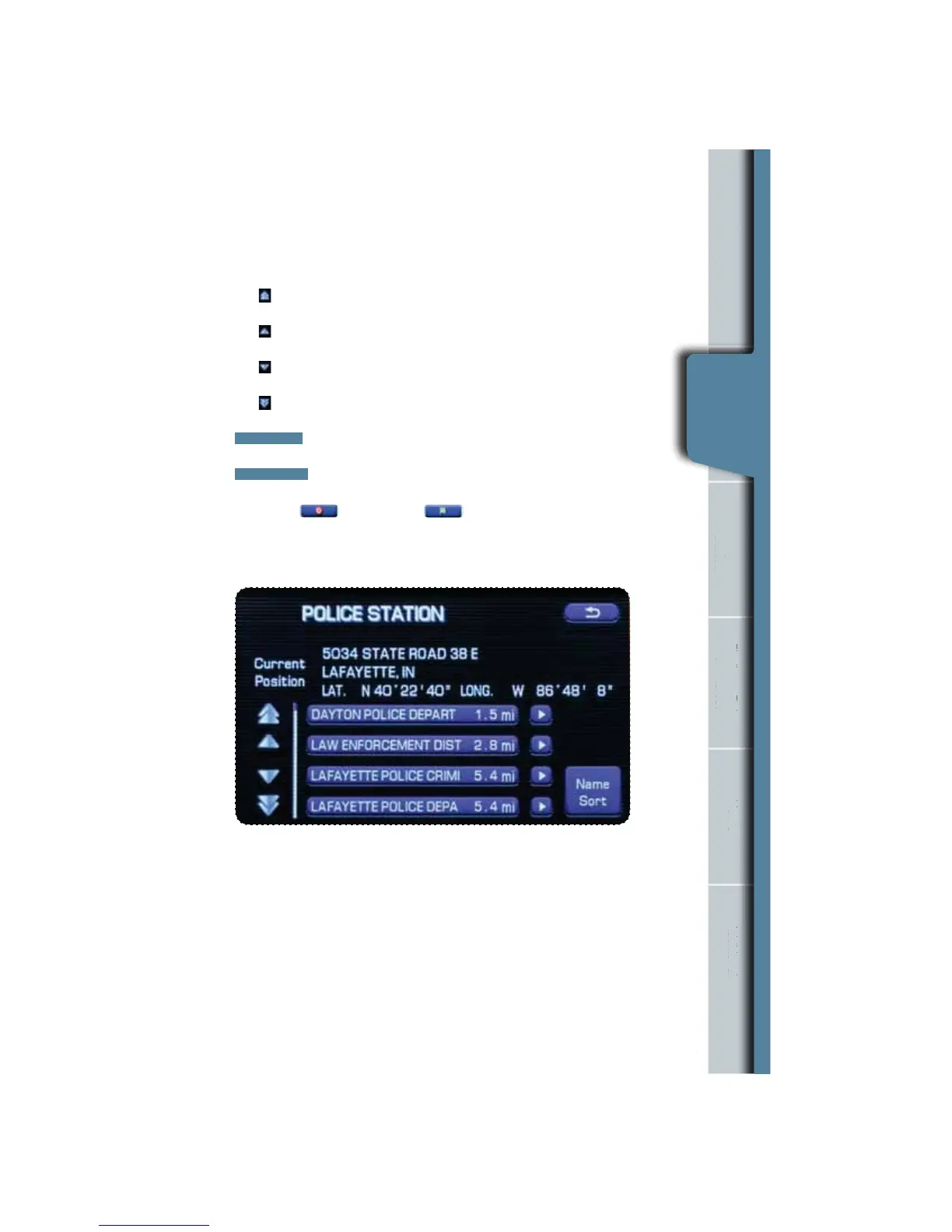
The screen now displays several options:
Use
to display the ve previous suggestions.
Use
to display the previous suggestion.
Use
to display the next suggestion.
Use to display up to ve of the next suggestions.
DIST. SORT
sorts the list by distance.
NAME SORT
sorts the list alphabetically.
Then select (destination) or (waypoint).
The system will route you to the nearest location automatically.
n
Information
rgency
Screen
g an
ddres
g a
of Interes
e
Registration
ona
Quick Tips
Emergency
Screen


 To Next Page
 Loading...