
 Need help?
Do you have a question about the Sudio FEMTIO and is the answer not in the manual?
Detailed instructions for using buttons to manage calls, music playback, and voice assistant.
Visual guide to understanding the speaker's battery status through LED lights and indicators.
Steps to reset the speaker to its original state, removing all paired Bluetooth devices.
Accessing further assistance, FAQs, and support information via the provided website link.
Key specifications including Bluetooth version, range, battery life, charging, and water resistance.
Instructions for wirelessly connecting two Sudio Femtio speakers for enhanced audio.
This document outlines the controls, troubleshooting, and dual pairing features of the Sudio Femtio speaker, designed to provide a comprehensive guide for users.
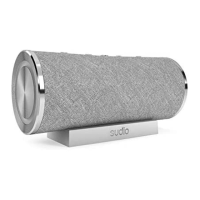
The Sudio Femtio is a portable speaker that offers a range of audio control functionalities, including playback management, volume adjustment, and call handling. It supports Bluetooth connectivity for wireless audio streaming and features a voice assistant for hands-free operation. The speaker is also equipped with a battery level indicator and a factory reset option for maintenance. A unique dual pairing feature allows two Sudio Femtio speakers to be connected to a single device, creating a more immersive audio experience.
The speaker features a set of intuitive controls for various functions:
Call Handling:
Playback Control:
Volume Adjustment:
Voice Assistant:
Power On/Off:
The speaker provides a visual indication of its current battery level:
The Sudio Femtio supports dual pairing, allowing two speakers to be connected to one device for a stereo sound experience.
To reset the speaker to its original state and remove all pairing records:
For more information and frequently asked questions (FAQ), users can scan the provided QR code or visit www.sudio.com/helpcenter.
This comprehensive guide ensures that users can effectively operate, troubleshoot, and maintain their Sudio Femtio speaker, maximizing their audio experience.
 General
| Number of drivers | 2 |
|---|---|
| Number of speakers | 1 |
| RMS rated power | 20 W |
| Speakers RMS power | 10 W |
| Wi-Fi | No |
| Bluetooth | Yes |
| Bluetooth range | 10 m |
| Bluetooth version | 5.0 |
| USB connector type | USB Type-C |
| Connectivity technology | Wireless |
| Product type | Stereo portable speaker |
| Product color | Anthracite |
| Product design | Cylinder |
| Volume control | Buttons |
| International Protection (IP) code | IPX6 |
| Recommended usage | Universal |
| Mobile operating systems supported | Android, iOS |
| Power source type | Battery, USB |
| Quantity per pack | 1 pc(s) |
 Weight and Dimensions
| Width | - mm |
|---|---|
| Weight | 675 g |

 To Next Page