3
VISTAPOOL CONFIGURATION
12:30
25º
man
off
man
off
CoverPol 1
LOW
00
gr/h
%
hydrolysis / electrolysis
Pr onPol 1
Pol 2
250
mA
pH
7.5 OFF
AL37.0
7.2
Rx
mV
700 OFF
AL3FL1
700
Cl
ppm
1.00
FL2
FL1
1.00
Cu/Ag ionization
measures
1 2 3 4
TANK
D
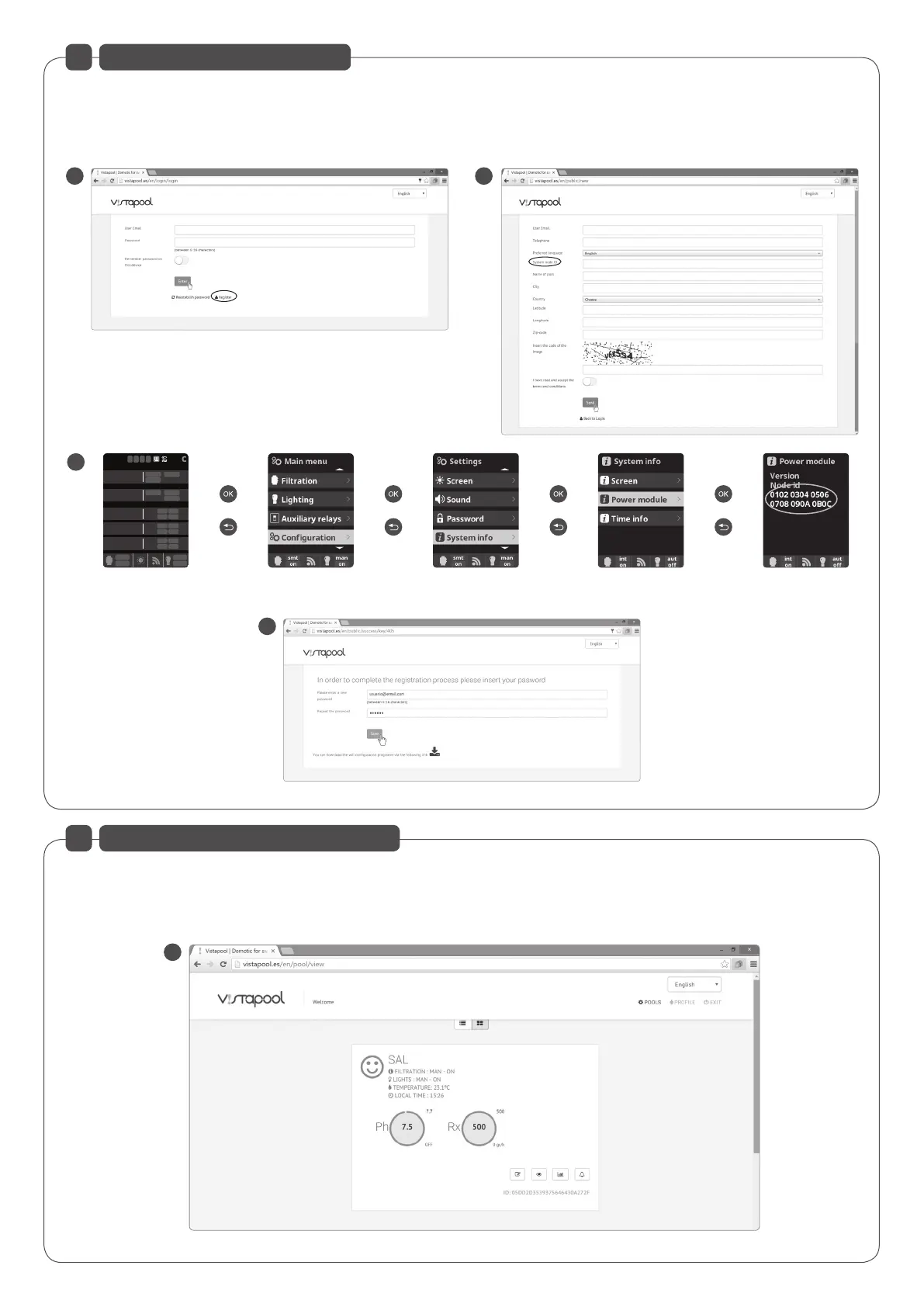
After entering the "Node ID", press "Send" on screen C and E screen appears. Choose a password and press "Save".
E
Once the WIFI module is connected to the unit, with both lights on, and the connection to the network properly configured, enter www.vistapool.es.
Access the Register option (Figure B) and enter all the requested data. It is requested to enter the identity number of the pool, the "Node ID" (Figure C).
To obtain this number, access the “Power Module” screen in unit's TFT display (figure D). If the "Node ID" does not have the correct format, you can not
continue with the registration process. Please make sure you entered the corresponding 24 characters.
B
F
C
4
VISTAPOOL WEBSITE OPERATION
If the swimming pool is properly communicating with the Vistapool central server, the screen F will be shown. If there is no communication with Vistapool
system, check the internet connection and network preferences (see chapter 2). The 2 green LEDs remain lit when the WIFI Module is connected properly.


 To Next Page
 Loading...