English - 17 -
Remote control - no operation
The batteries may be exhausted. Replace the batteries.
Input sources - can not be selected
If you cannot select an input source, it is possible that
Check the AV cables and connections if you have tried
to connect a device.
Check the AV cables and connections if you are trying
to switch to the input source dedicated to the connected
device.
Recording unavailable
then switch on the TV to enable recording feature. If
inserting the USB device.
USB is too slow
If a “USB disk writing speed too slow to record”
message is displayed on the screen while starting a
recording, try restarting the recording. If you still get the
same error, it is possible that your USB disk does not
meet the speed requirements. Try connecting another
USB disk.
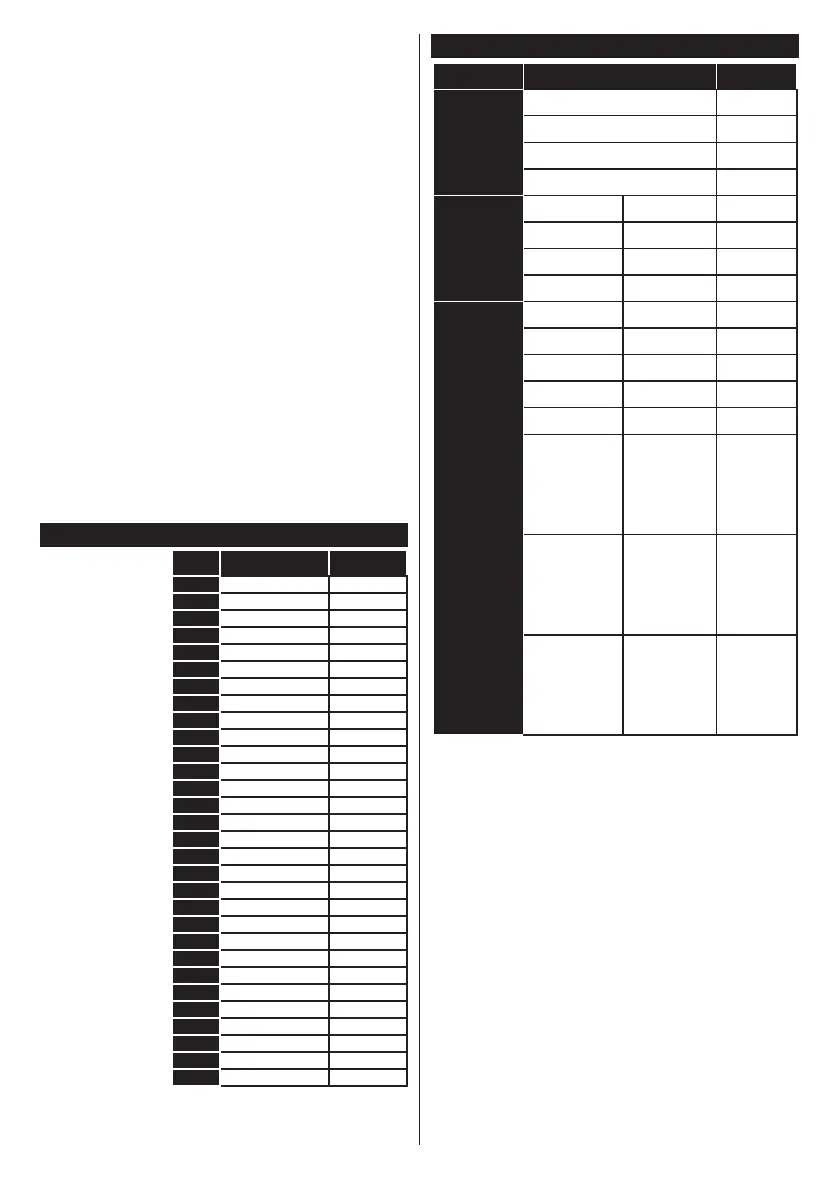
PC Input Typical Display Modes
The following
table is an
illustration of
some of the
typical video
display modes.
Your TV may
not support all
resolutions.
Index Frequency
1 640x350
2 640x480
3 640x480
4 640x480
800x600
6 800x600
7 800x600
8 800x600
9 1024x768
10 1024x768
11 1024x768
12 1024x768
13 1152x864
14 1280x768
1280x768
16 1280x960
17 1280x960
18 1280x1024
19 1280x1024
20 1360x768
21 1366x768
22 1400x1050
23 1400x1050
24 1400x1050
1440x900
26 1440x900
27 1600x1200
28 1680x1050
29 1680x1050
30 1920x1080
AV and HDMI Signal Compatibility
Side AV
PAL O
SECAM O
NTSC4.43 O
NTSC3.58 O
YPbPr
480i, 480p O
576i, 576p O
720p O
1080i O
HDMI
480i O
480p O
576i, 576p O
720p O
1080i O
1080p
O
3840x2160p
O
4096x2160p
O
(X: Not Available, O: Available)
In some cases a signal on the TV may not be displayed
properly. The problem may be an inconsistency with
standards from the source equipment (DVD, Set-top
box, etc. ). If you do experience such a problem please
contact your dealer and also the manufacturer of the
source equipment.



 To Next Page