
 To Next Page
G
GeorgApr 9, 2025
How to unlock my device if I turn on firewall? After activation firewall in settings I cant enter in web-inteface, because ports 80 and 443 has been locked. What to do now?
- MMichaelJun 11, 2025
Georg, i have the same question

How to unlock my device if I turn on firewall? After activation firewall in settings I cant enter in web-inteface, because ports 80 and 443 has been locked. What to do now?
Georg, i have the same question
What to do if the LCD of my Sumavision Media Converter doesn't display anything?
If the LCD of your Sumavision Media Converter isn't displaying anything or the working indicator isn't lit after you've turned it on, there could be a couple of reasons: * The power lead might not be properly connected. Try replacing the power lead. * The fuse on the power socket could be broken. In this case, replace the fuse.
Describes the platform's role in media processing.
Identifies the device as a multimedia router.
Details the typical networking configuration of the EMR.
Outlines key performance specifications of the EMR system.
Explains how to identify the product name, model, and manufacturer.
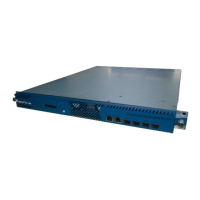
Describes the physical appearance and components of the EMR device.
Details the function and status of the EMR's front panel indicators.
Details environmental conditions necessary for the installation site.
Specifies voltage, frequency, and grounding requirements for power supply.
Guides users through the process of unpacking and inspecting the device.
Outlines preparations and checks for debugging the device after installation.
Introduces methods for system setting and operation via web interface.
Explains the core functions and operational parts of the EMR.
Details various types of program sources EMR can receive via different cards.
Guides on configuring the multiplexing page for input and output.
Explains settings for Network, Clock, TDT/TOT, PSI/SI, Alarm, Log, etc.
Details the interface and functions of the Main GbE Card.
Describes the interface and function of the 5 Input ASI Card.
Details the interface and function of the DS3 adapter Card.
Describes the interface and function of the DVB-T/H-4 Mod. Card.
Covers the interface and function of the DVB-S/S2 Mod. Card.
Details the interface and function of the MPEG2 SD AENC Card.
Covers the interface and function of the MPEG2 SD DENC Card.
Details the interface and function of the SD-ADEC Card.
Covers the interface and function of the Descramble Card.
Details the interface and function of the DVB-S2 Desc Card.
Details the interface and function of the DVB-C Demod Card.
Details the interface and function of the 4-Ch.DVB-T2 Demod Card.
Covers the interface and function of the 4-Ch.DVB-S2 Demod card.
Details the interface and function of the StatMux4 Card.
Covers the interface and function of the CA01B Switch Card.
Details the interface and function of the DS3 Switch Card.
Covers the interface and function of the RF Switch Card.
Details the interface and function of the T2MI Replacer Card.
Details the interface and function of the T2MI De-encap. Card.
Enables addition, deletion, and editing of PSI/SI tables for ports.
Guides on editing NIT tables, including adding stream descriptions.
Guides on editing CAT tables, including adding CA descriptors.
Guides on editing SDT tables, including adding stream descriptions.
Allows modifying multiple parameter groups simultaneously across cards.
Covers Service and Port backup configurations for EMR.
Details the 1+1 program backup switch functionality.
Explains how to configure port backup settings, including bit rates and delay.
Introduces EMR scrambling settings via the web interface.
Guides on connecting and navigating the web interface for scrambling configuration.
Explains searching programs and setting scrambling parameters.
Details setting CAS parameters provided by the CAS server.
Guides on setting all program scrambling parameters and starting the scrambling module.
Describes how alarms are indicated and how to use web management for troubleshooting.
Addresses issues with the LCD not displaying after powering on, including reasons and solutions.
Details rules and plans for regular EMR maintenance.
Refers to a table for annual maintenance tasks.
Provides guidelines for cleaning and maintaining the device.
Specifies requirements for storing the EMR device.
Outlines guidelines for transporting the EMR device safely.
Provides electrical and mechanical parameters for ASI interfaces.
Details electrical and mechanical parameters for Ethernet connectors.
Guides on viewing device IP and network information via the LCD panel.
Details the FTP upload process for upgrading files.
Details the process for upgrading the DSP drive on the SD-ADEC Card.
Lists warnings, reasons, and resolutions specific to the Main GbE Card.
 General
| Brand | Sumavision |
|---|---|
| Model | EMR3.0 |
| Category | Media Converter |
| Language | English |