This document serves as a comprehensive user manual for a Summit Appliance washer, covering its function, usage, and maintenance. The washer is designed for household use, and the manual emphasizes safety precautions, proper installation, and efficient operation to ensure longevity and optimal performance.
Function Description
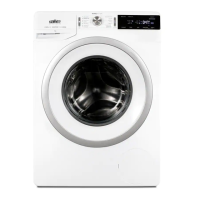
The Summit Appliance washer is designed to clean various types of laundry using a range of pre-programmed wash cycles and customizable settings. Its primary function is to provide an automated solution for washing clothes, from delicate items to heavily soiled garments. The machine incorporates features such as adjustable water temperature, spin speed, and wash duration to cater to different fabric types and soil levels. It also includes specialized programs like "Steril tub" for self-cleaning and "Allergy care" for thorough rinsing to remove allergens. The washer is equipped with an ECOEYE system that provides feedback on water and power consumption, allowing users to make more environmentally conscious choices. The machine's design includes a drum for laundry, a dispenser tray for detergent, and a control panel for program selection and setting adjustments.
Usage Features
Before initial use, the manual stresses the importance of removing transport rods and allowing the appliance to reach room temperature. Proper installation involves placing the washer on a level, stable concrete base and ensuring adequate clearances from walls and furniture. Connecting the water supply requires using new hoses and ensuring correct hot and cold water connections, with specific instructions for water pressure. The discharge hose must be securely attached and positioned within specified vertical distances to ensure proper drainage. The power supply connection requires a grounded outlet and prohibits the use of extension cords.
To operate the washer, users first connect it to power and water, then press the ON/OFF/RESET button. Loading laundry involves opening the door, placing items in the drum, and closing it securely. Detergent, either liquid or powdered, is added to the dispenser tray, with guidance on using a separator/divider tab for different detergent types.
The core of the washer's usage lies in selecting the appropriate washing program. A program selector knob allows users to choose from various cycles like "Cotton black," "Cotton color," "Cotton white," "Mix (Mixed laundry/Synthetics)," "Wool," "Heavy duty," "Power 59'," "Steril tub," "Rinse/Softening," "Spin/Drain," "Sports (Sportswear)," "Down wear," "Allergy care," and "Auto wash." Each program is tailored for specific laundry types and soil levels, with recommended temperatures and spin rates. For instance, "Cotton black" is for dark laundry at low temperatures with gentle tumbling, while "Heavy duty" is for normally soiled cotton/linen and allows for higher temperatures. The "Auto wash" program automatically adjusts duration and rinses based on laundry amount, making it suitable for lightly soiled items without extra settings.
Beyond program selection, users can customize settings using functional buttons. The "Washing Mode" offers "NORMALCARE" (default), "ECOCARE" (energy/water saving with longer wash time), and "TIMECARE" (shorter wash time with more water). Water temperature can be adjusted using the "Temp." button, and spin speed can be modified with the "Spin" button. Options like "draining without spinning" and "PUMP STOP" are available to prevent creasing or hold water in the drum. The "Start Delay" function allows users to postpone the wash cycle for a set amount of time. The ECOEYE indicator lights provide visual feedback on water and power consumption. A "Prewash" setting is available for heavily soiled clothes, and the "Water Level" setting indicates when a higher amount of water is being used, typically during an additional rinse cycle.
Once settings are chosen, pressing the START/PAUSE button initiates the wash cycle. The manual also covers how to change or cancel a program mid-cycle by holding the ON/OFF/RESET button, and how to add or remove laundry if water levels and temperature permit. The machine also features a "Low Standby Mode" to save energy when not in active use.
Maintenance Features
Regular maintenance is crucial for the washer's performance and longevity. The manual provides detailed instructions for cleaning various components. Before any cleaning, the washer must be unplugged from the power supply. The exterior should be cleaned with a soft, damp cloth and warm water, avoiding solvents or harsh cleaners.
Cleaning the dispenser tray involves sliding out the housing, removing the tray by pressing a small tab, and rinsing it under running water with a brush to remove detergent residue. The plug cap also needs to be removed, cleaned, and replaced.
Maintenance extends to the water supply hose, detergent dispenser, and door gasket. The water intake hose's net filter should be unscrewed, removed, and cleaned with a toothbrush under running water before being replaced. The entire rinsing section of the washing machine, especially the upper chamber, should be cleaned with a brush. The rubber door seal should be wiped after every wash to maintain its usability.
The pump filter requires periodic cleaning to prevent blockages. This involves opening the pump filter cap with a flat-head screwdriver, removing the water outlet funnel, and slowly rotating the pump filter counter-clockwise to drain any remaining water. The filter should then be cleaned under running water and replaced by turning it clockwise to secure it, ensuring a good seal by cleaning the filter gasket.
The manual also includes a troubleshooting section to address common issues indicated by error codes on the display unit. For example, "E0" indicates incorrect settings, "E1" a temperature sensor error, "E2" a door lock error, "E3" a water filling error, "E6" a water heating error, and "E7" a water draining error. Each error code comes with specific steps to diagnose and resolve the problem, such as checking water supply, cleaning filters, or restarting the program. If issues persist, users are advised to contact customer service, providing the model and serial numbers. The manual also explains alerts for unevenly distributed laundry, system warnings to run the "Steril tub" program, power supply failures, and unresponsive display units.
Finally, the manual addresses disposal, emphasizing that the washer's packaging is made of recyclable materials. For end-of-life disposal, users are instructed to remove power cords, destroy the door latch and switch to prevent child entrapment, and take the appliance to an authorized collection center for electronic equipment processing. This ensures environmentally responsible disposal and prevents negative health or environmental impacts.


 To Next Page
 General