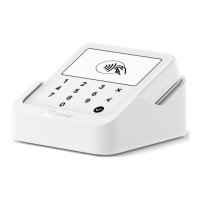
Charging
You can charge your Solo using the included 2.0 USB type C cable or charging
cradle. The Solo can continue to accept transactions while charging.
Turn off my Solo
To turn your Solo off, hold the power button for a couple of seconds until the
option to shut down pops up on the screen. Tap “Shut down” again to confirm.
Sales history
Your sales history contains a basic breakdown of all the payments you’ve
accepted using SumUp.
Access sales history
You can quickly and easily check the status of past transactions with your
sales history on your SumUp profile, the app or either the SumUp 3G or Solo.
Here’s how you can find it.


 To Next Page