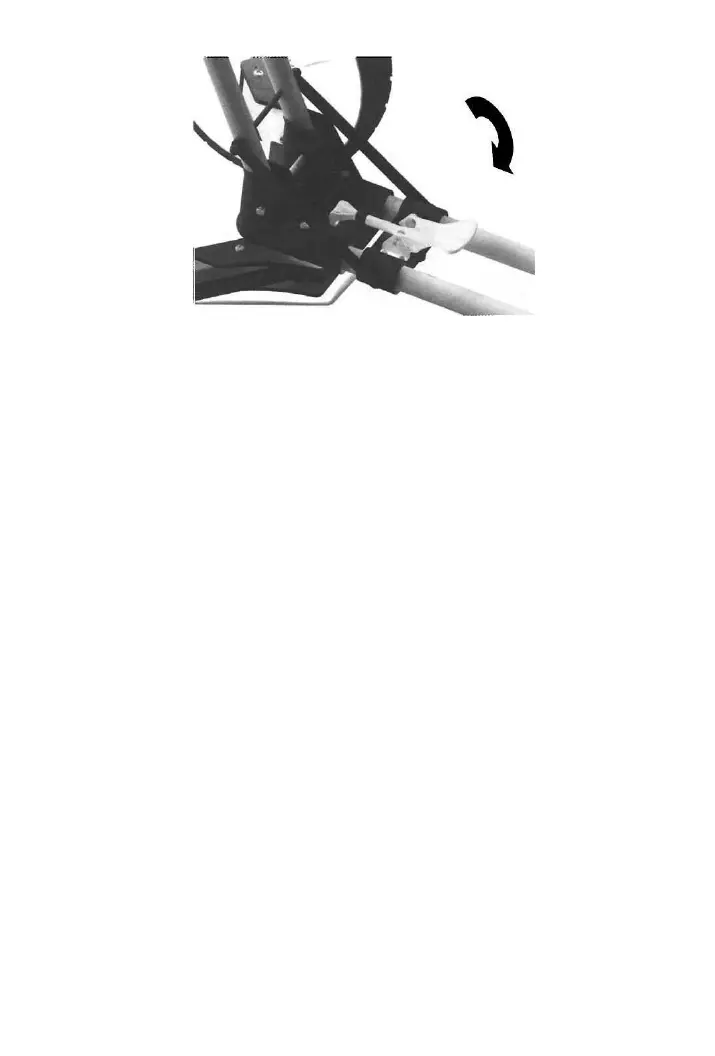
STEP THREE: ADJUSTING THE HANDLE HEIGHT
To reset the handle height, release the handle by pulling the
handle latch toward the accessory tray. Lift or lower the
handle to the new height and secure the handle latch.
STEP FOUR: LOADING YOUR GOLF BAG
Unfold the triangular lower bag support and place the bottom of
your golf bag on it. Then lean the top part of your bag into the
upper bag support. The bag bracket secures your bag without
straps. The width of the upper bag support can be adjusted by
turning the thumb screws on both sides. If your bag pockets
are touching the front wheels, you may expand the front axle.
See page 13 for instructions.
STEP FIVE: STEERING
To steer you cart, push down on the handle so the front
wheels lift slightly off the ground. Then pivot right or left to
change direction, lower the front wheels and go.


 To Next Page