Document No. 8128000560
Software Revision – N1B (07 Oct 04)
7-19
RT-9000 B
NOTE: This Channel selection method provides a convenient, rapid means of
verifying current Pre-set Channels or logging unknown Channel
information.
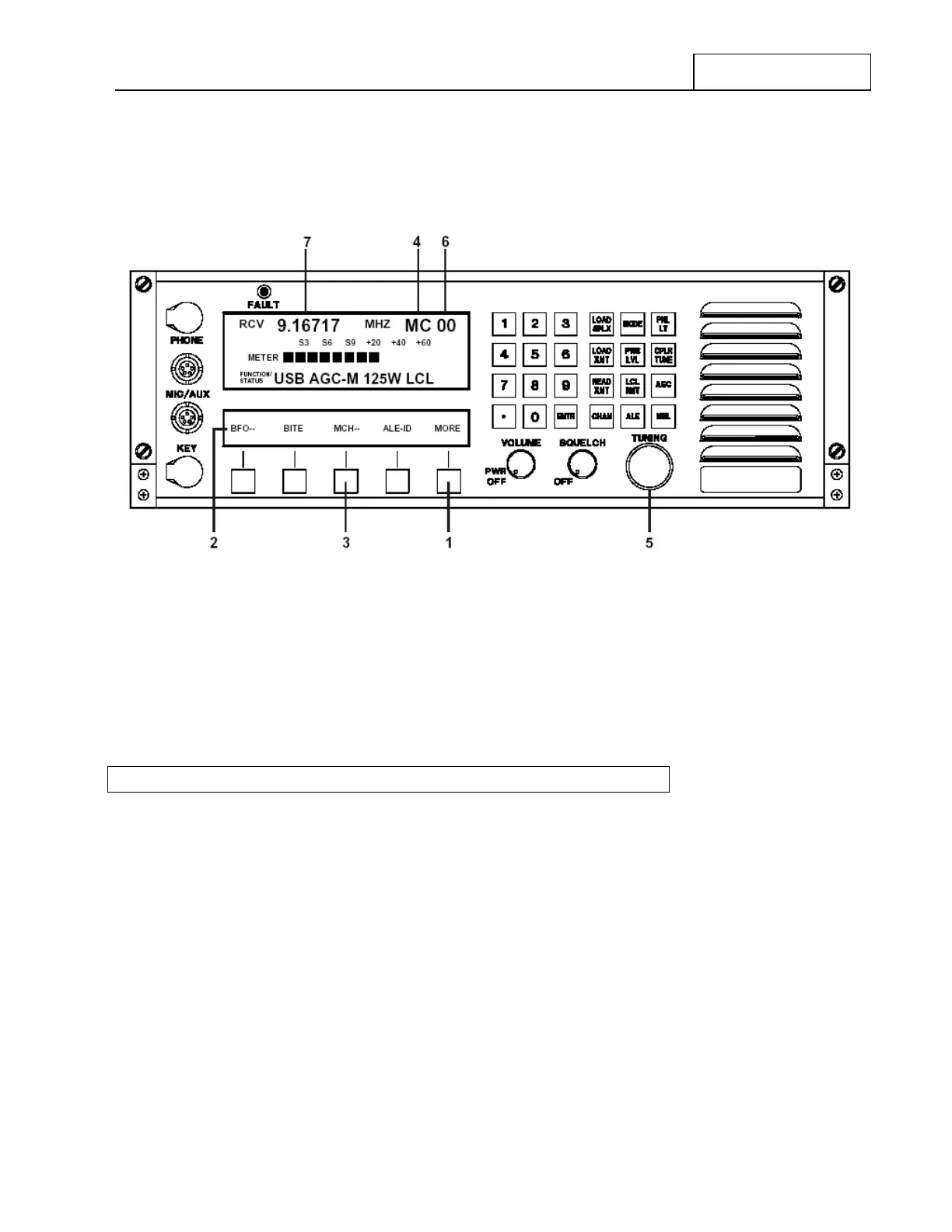
Figure 7.3.2.6 Manual Channel Operating Controls
To exit Manual Channel Selection operation, depress the ‘M CH-’ Feature Menu key at 3 again. The
asterisk (*) beside ‘M CH-’ in the Feature Menu Display will disappear. The ‘MC’ designator at 4 will revert
back to the ‘CH’ designator. The Channel Number selected immediately before leaving Manual Channel
Selection will continue to be selected.
7.3.2.9 ESTABLISHING OR MODIFYING PRE-SET CHANNELS
The RT-9000 B can store up to 128 Pre-set Channels (in Channels 0 through 127). The operations described
in this section describe how to establish or modify Pre-set Channels.
These operations allow the user to create, enter and store a Pre-set Channel into the RT-9000 B
Transceiver’s memory. Once a Pre-set Channel has been properly set up, the RT-9000 B will be able to recall
all settings whenever that particular Channel Number is selected. Pre-set Channel information is stored in
non-volatile memory.
Modifying a setting, in actuality, merely repeats the original entry steps used when establishing a Pre-set
Channel except using different setting information.
The RT-9000 B Transceiver also automatically provides Channel Number information, as an output, for use
by external peripheral equipment. This information allows external equipment having Pre-set Channel
capability to operate properly and efficiently. Typical examples might include Pre-selectors, Linear Power
Amplifiers, and Antenna Couplers. No operator action associated with this capability is required during normal
operation.
RT-9000 B


 To Next Page
 Loading...
