Document No. 8128000560
Software Revision – N1B (07 Oct 04)
7-67
RT-9000 B
5. Depress the Select Group (‘SEL-GRP’) key. The Feature Menu Display shown in Figure 7.3.4.15 will
appear and display the message ‘SELECT GROUP 0-9’. (Depressing the ‘END’ key aborts the
Channel Group selection process and causes the Feature Menu Display to revert to that shown in
Figure 7.3.4.14).
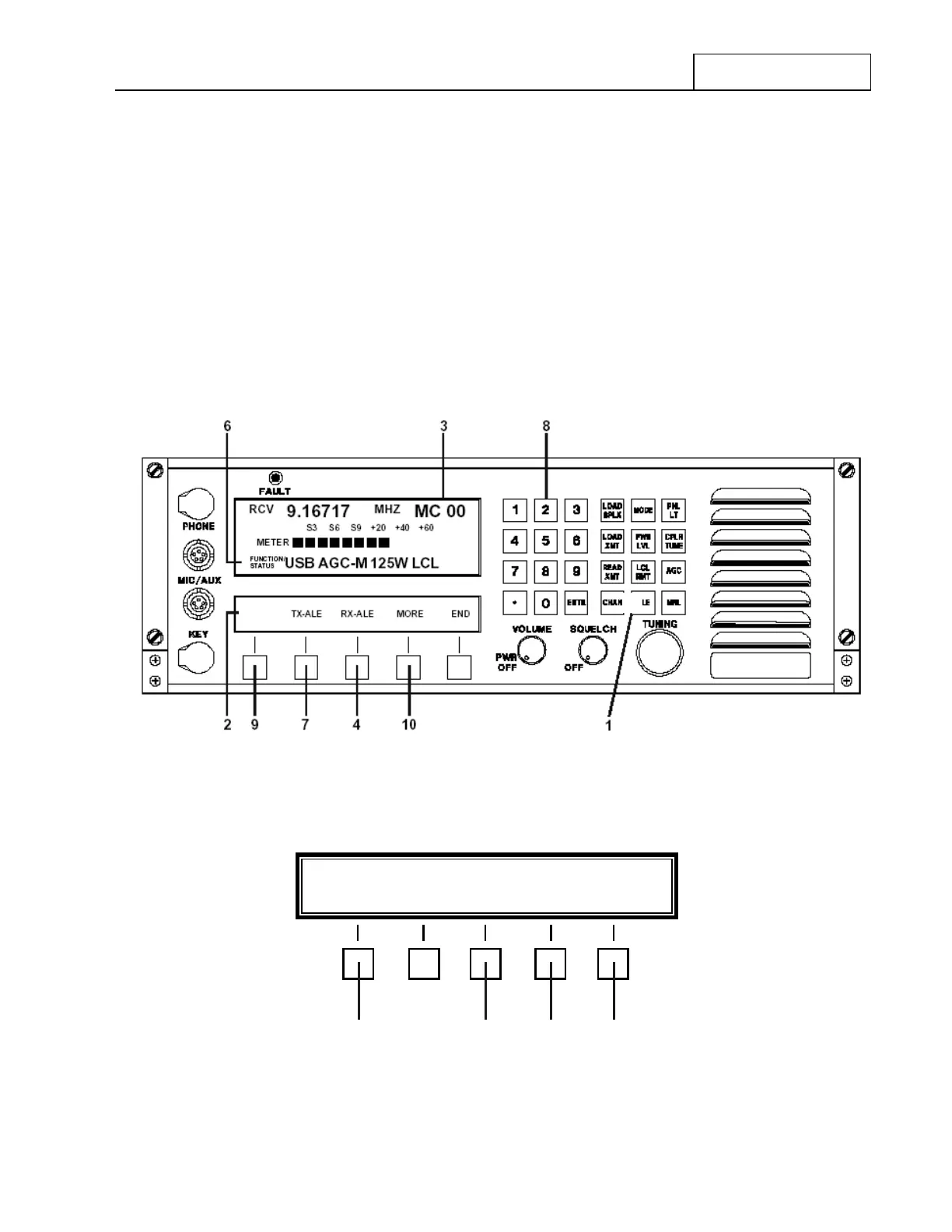
6. Enter the desired Channel Group number using the Numeric Keypad shown at 8 in Figure 7.3.4.13.
The newly entered Channel Group will appear as described in step 2 . The Feature Menu Display will
revert to that shown in Figure 7.3.4.13.
NOTE: If the Channel Group Number entered does NOT have at least one (1)
valid Channel entered into the RT-9000 B ’s memory, a ‘THIS GROUP
NOT SETUP’ message will appear in the Operational Display.
7. The user may continue with all other ALE operations.
Figure 7.3.4.13 ALE Operation Feature Menu
Figure 7.3.4.14 ALE Calling Feature Menu
ALE
*
SEL GRP SOUND NET CALL ALL CALL END
11 12 13 14
RT-9000 B



 To Next Page