Document No. 8128000560
Software Revision – N1B (07 Oct 04)
7-18
RT-9000 B
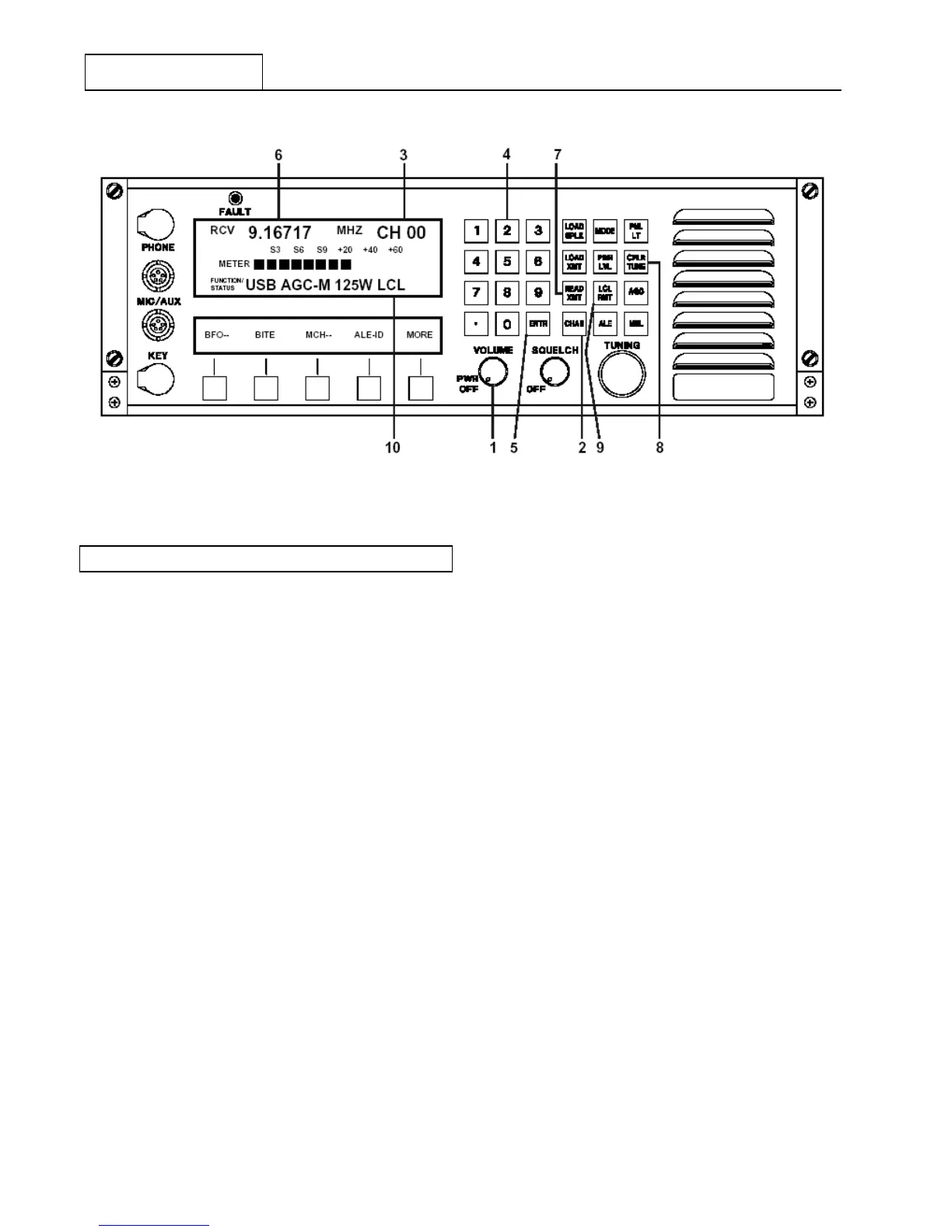
Figure 7.3.2.5 Pre-set Channel Operating Controls
7.3.2.8 MANUAL CHANNEL SELECTION
Manual Channel Selection is a type of Pre-set Channel operation. This type of operation allows Pre-set
Channel selection using the ‘TUNING’ control instead of the Numeric Keypad.
Refer to Figure 7.3.2.6. If not already in Pre-set Channel operation, select it now by depressing the ‘CHAN’
key. Depress the Feature Menu ‘MORE’ key successively at 1 until the Feature Menu Display at 2
appears.
Depress Manual Channel key (‘M CH-’) at 3 . The Channel designator, ‘CH’ immediately preceding the
Channel Number on the Operational Display at 4 will change to the Manual Channel designator, ‘MC’. An
asterisk (*) will appear next to ‘MCH -’ in the Feature Menu Display to indicate this selection has been
enabled.
Rotating the ‘TUNING’ control at 5 increases or decreases the selected Channel Number in numerical order.
The Channel Number is displayed at 6 and its Pre-set operating frequency will appear in the Operational
Display at 7 .
NOTE: Transceiver operating ‘MODE’, Receiver ‘AGC’ Characteristic’, and
Transmitter RF Output ‘Power Level’ settings are pre-set and stored
for each channel. As the ‘TUNING’ control is rotated, these settings will
change to reflect the settings for the currently selected Channel
Number.
Systems using an Antenna Coupler operate in the same manner as previously discussed in section 7.3.2.7.
The only operational difference between these modes is the operator’s ability to more rapidly change
Channels and its possible effect on an Antenna Coupler. Modern Antenna Couplers with Pre-set Channel
capability typically re-tune a Pre-set Channel from memory between 10 to 30 milliseconds and should be able
to track RT-9000 B Manual Channel Selection.
RT-9000 B


 To Next Page
 Loading...
