
 Need help?
Do you have a question about the SUNBA NVR-F8009SE and is the answer not in the manual?
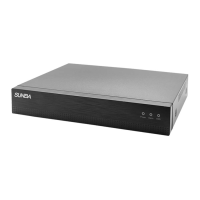
Details the components and indicators on the front of the NVR unit.
Describes the rear panel ports and connections for peripherals and power.
Managing user accounts, passwords, and access privileges on the NVR.
Comprehensive guide to network setup, protocols, wireless, streaming, and cloud services.
Configuration for alarm events like motion detection, video loss, and intelligent analysis.
Functions for controlling Pan-Tilt-Zoom cameras connected to the NVR.
Tools for managing, formatting, and partitioning hard disk drives.
Managing IP channels, their types, status, and display settings.
General system configurations including name, language, date, and time.
Guides users through initial NVR setup including network and time.
Details automatic setup for Sunba IP cameras, including compression optimization.
Explains manual and ONVIF methods for adding third-party IP cameras.
Explains different playback types like common, sync, dayparting, and their visual indicators.
Utilizes express, smart, and face search for efficient event retrieval.
Instructions for accessing the NVR via the Internet Explorer web interface.
Guide to using the VMS software for managing and viewing NVR devices.
Steps to access the NVR using the iSunba mobile application.
Methods for remote access via desktop, including P2P, port forwarding, and VPN.
Enables and configures the face detection feature for capturing snapshots.
 General
| Model | NVR-F8009SE |
|---|---|
| Storage Capacity | 1 SATA |
| Video Compression | H.264/H.265 |
| Video Output | HDMI/VGA |
| Audio Output | 1-channel RCA |
| Resolution | 1920x1080 |
| HDD | 1 SATA |
| Max Capacity per HDD | 8TB |
| USB Interface | 2 USB 2.0 |
| Power Supply | DC12V |
| Working Temperature | -10°C to +55°C |
| Working Humidity | 10% to 90% |
| Operating Temperature | -10°C to +55°C |
| Operating Humidity | 10% to 90% |
| Protocols | RTSP |

 To Next Page