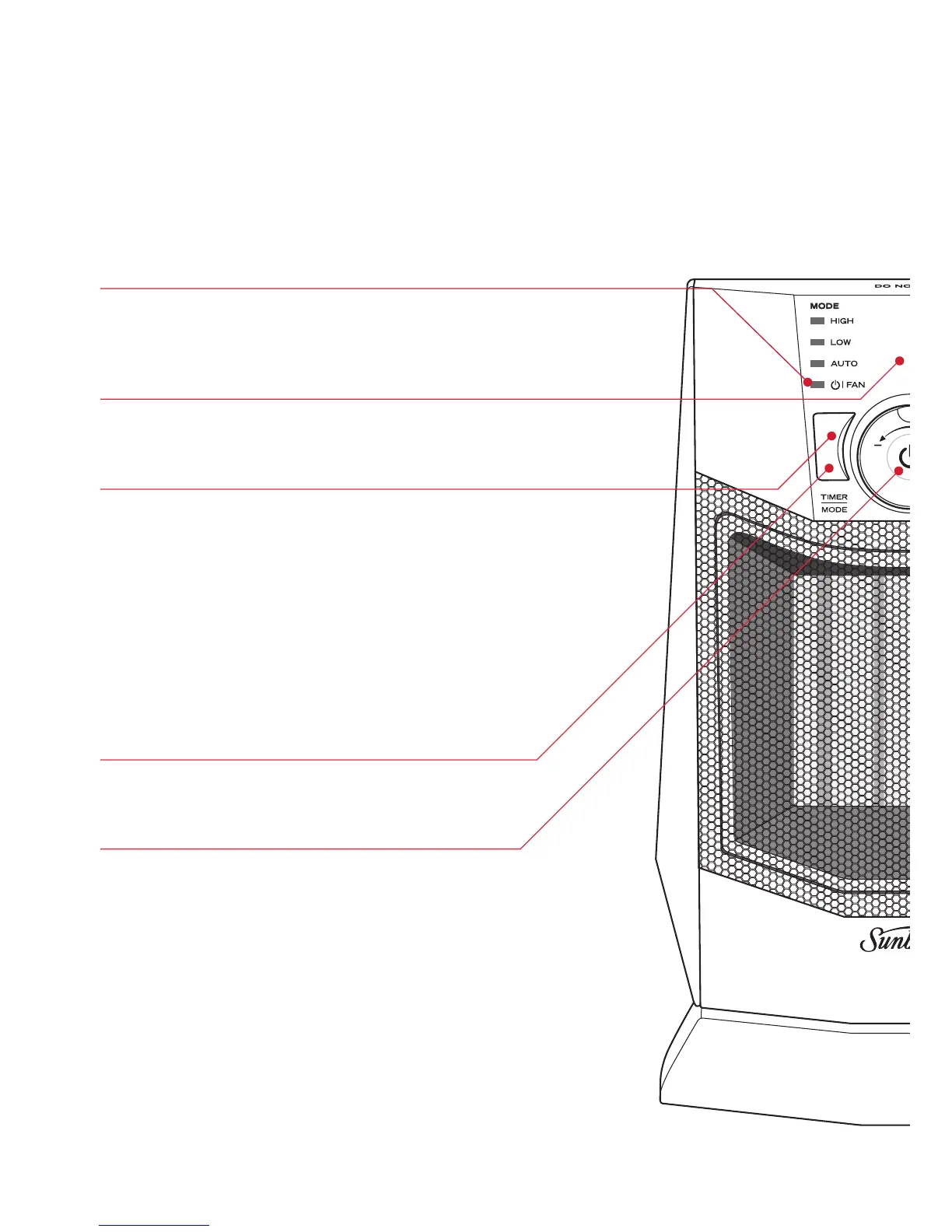
Power ON light
Illuminates to indicate that the heater is
connected to the power outlet.
LCD screen
The LCD screen displays the temperature setting.
Mode button
Press the mode button to select the desired
operating mode:
LOW HEAT, HIGH HEAT,
AUTO OR FAN
Fan setting
Ideal for circulating cool air in summer, the fan
setting operates the fan without heat.
Timer button
Press and hold to activate timer function.
ON/OFF button and thermostat dial
4
Features of your HE2125
Oscillating Ceramic Heater


 To Next Page