6
1. Place the heater on a flat level surface and
ensure that the air intake and outlet are
clear of obstructions.
2. Insert the plug into a 230/240V power
outlet and turn the power on.
3.The power on light will illuminate and the
unit will emit a “ beep”.
NOTE: When the heater is switched on at
the power outlet it will automatically be in
Standby mode.
4. Press the power button (
) to activate the
heater. Use the Mode button to scroll for
your desired setting. See settings below:
High – Highest heat setting
Low – Lowest heat setting
AUTO – For operating the digital
thermostat
FAN – Operates without heat
5. To switch your heater off, press the power
(
) button.
Setting the digital thermostat
The digital thermostat allows you to select
your desired temperature between 15ºC and
30ºC.
NOTE: When the air temperature reaches 2
degrees above the selected temperature the
unit will turn off.
1. Press the Mode button until the Auto mode
is displayed. The LCD will then flash 25
degrees as the default temperature.
2. Turn the thermostat dial to select your
desired temperature. After 5 seconds the
LCD will stop flashing and will display the
room temperature.
NOTE: The temperature range is from
15ºC to 30ºC.
3. To help maintain the room temperature for
longer, the unit will turn off automatically
when the room temperature is 2ºC above
the set temperature.
NOTE: It is normal for the heater to cycle
on and off as it maintains the preset
temperature. To prevent the unit from
cycling, raise the thermostat setting.
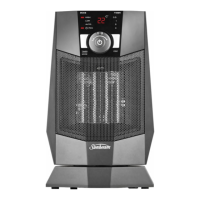
Using your Compact Oscillating
Ceramic Heater


 To Next Page