EasyManua.ls Logo

Sunbeam HL858A2-LT - User Manual

Sunbeam HL858A2-LT
11 pages
Print Icon
To Next Page IconTo Next Page
Loading...
1
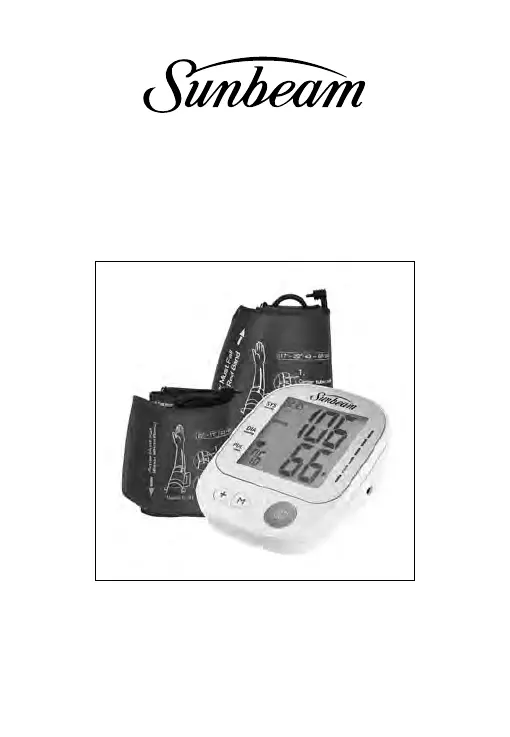
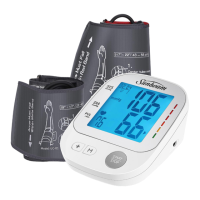
Upper Arm Blood Pressure Monitor
with Voice Broadcast Technology
Instruction Manual
Model: HL858A2-LT
Item:16994
Manual Version: 001
Issue Date: XX

Questions and Answers

  • T
    tonya18Jul 28, 2025
    How to fix Sunbeam HL858A2-LT Blood Pressure Monitor that does not turn on?
    • A
      albert33Jul 28, 2025
      If your Sunbeam Blood Pressure Monitor isn't turning on when you press the START/STOP button, first, check the batteries. They might be worn out and need replacing with four new AAA (LR03) alkaline batteries. Also, make sure the batteries are inserted correctly, paying attention to the polarities.
  • C
    Christopher TaylorAug 12, 2025
    What to do if Sunbeam Blood Pressure Monitor shows measuring error?
    • K
      kmcleanAug 12, 2025
      If your Sunbeam Blood Pressure Monitor displays a measuring error symbol when the blood pressure value is excessively low or high, it could be due to several reasons. Ensure the cuff is placed correctly and snugly. Check the cuff connection to make sure there are no air circuit abnormalities. If the inflation pressure exceeded 300mmHg, switch the unit off, then measure again. Also, keep your arm steady during measurement. If you still have questions about the cuff wearing and/or measurement result, please consult your healthcare professional.

Summary

Indications for Use

About Blood Pressure

What is Blood Pressure?

Explains blood pressure as the force of blood pushing against artery walls, detailing systolic and diastolic pressure.

Why Measure Blood Pressure at Home?

Discusses benefits of home monitoring, including avoiding 'White Coat Hypertension' and following the 'Rule of 3'.

Measurement Method

Accuracy

Precautions

Device Overview

Unit Display

Details the various elements shown on the LCD screen, including time, date, and measurement readings.

Symbol Definitions

Features

BP Category Indicator

Classifies blood pressure measurements into six stages from Optimal to Severe Hypertension using a color-coded indicator.

Power Supply Options

Installing; Replacing the Batteries

Setting the Date & Time

Selecting User ID

Voice Broadcast On; Off

Attaching the Cuff

Tips for Accurate Measurement

Taking the Measurement

Memory Function

Recalling Data

Erasing Data

Cleaning and Disinfection

Storage

Specifications

FCC Compliance Statement

RF Exposure Warning

Sunbeam HL858A2-LT Specifications

General IconGeneral
Measurement MethodOscillometric
Display TypeLCD
User Profiles2
Irregular Heartbeat DetectionYes
Device TypeBlood Pressure Monitor
Memory60 readings
Cuff Size22-32 cm

Related product manuals